
Verdict: useful when remote interaction is the reason to buy
The Furbo 360° Dog Camera is worth considering if you want to look in on your dog, speak through the camera, and toss an occasional treat while away. This review covers the standalone No Subscription Required selection, ASIN B09GDQZLD1. Its central advantage is that the included core functions can remain useful without an ongoing Nanny payment.
The distinction matters because Furbo also sells lower-upfront-cost subscription-required packages. We have not tested this camera’s image quality, alert accuracy, connection stability, or treat mechanism. If you only want a video feed, compare simpler indoor cameras. If you need a history of events you missed, include the optional service cost in your decision.
Reasons to consider it
- Core live viewing, audio and treat tossing without mandatory Nanny
- Rotating view and basic barking notifications
- Official setup and treat guidance available
Trade-offs
- Recordings and advanced AI features are separate
- Needs reliable power, internet, app and account
- Adapter is not included
Sources: Amazon: Furbo 360 Dog Camera, No Subscription Required, Furbo: standalone camera versus Nanny bundle.
Facts: what the standalone purchase includes
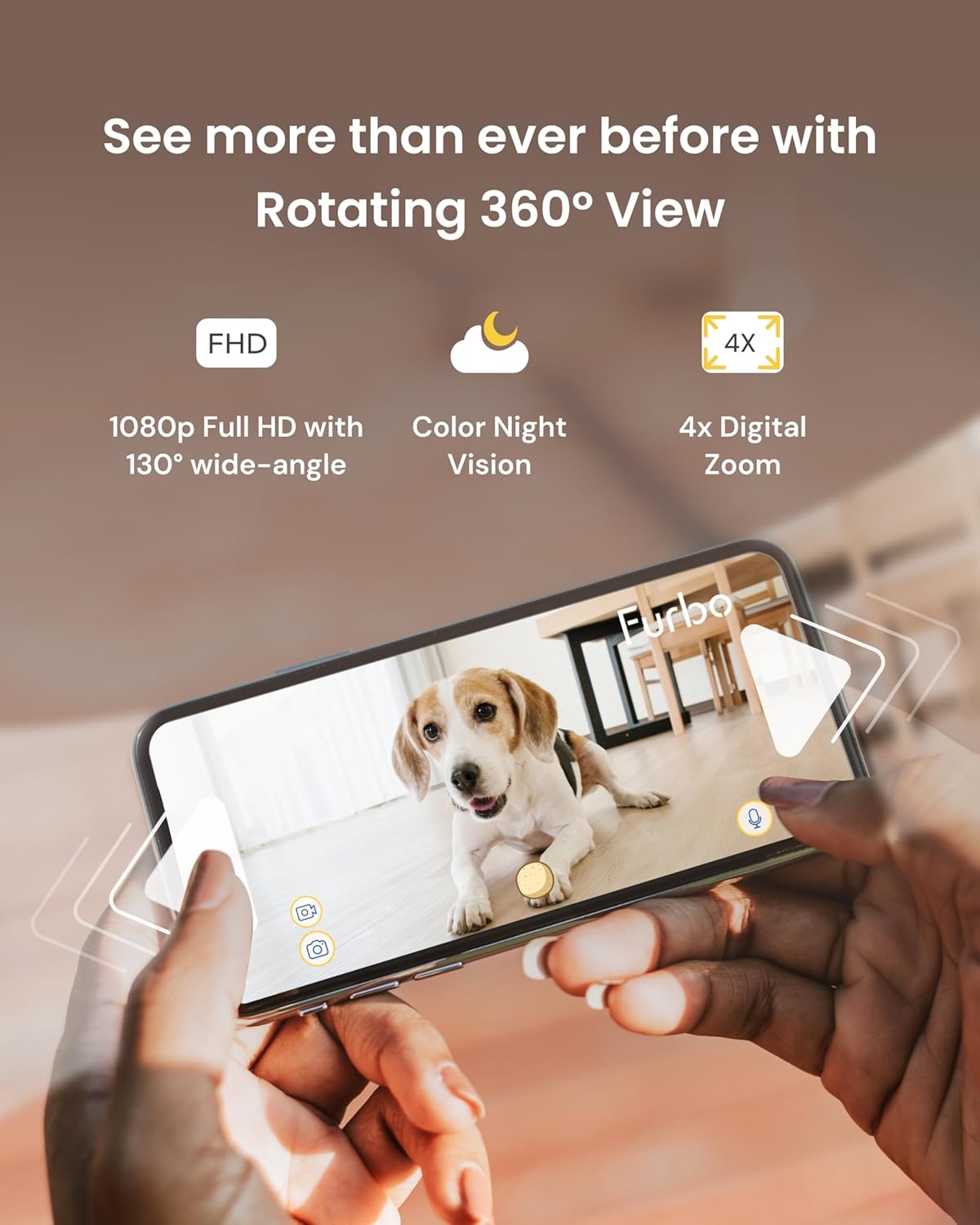
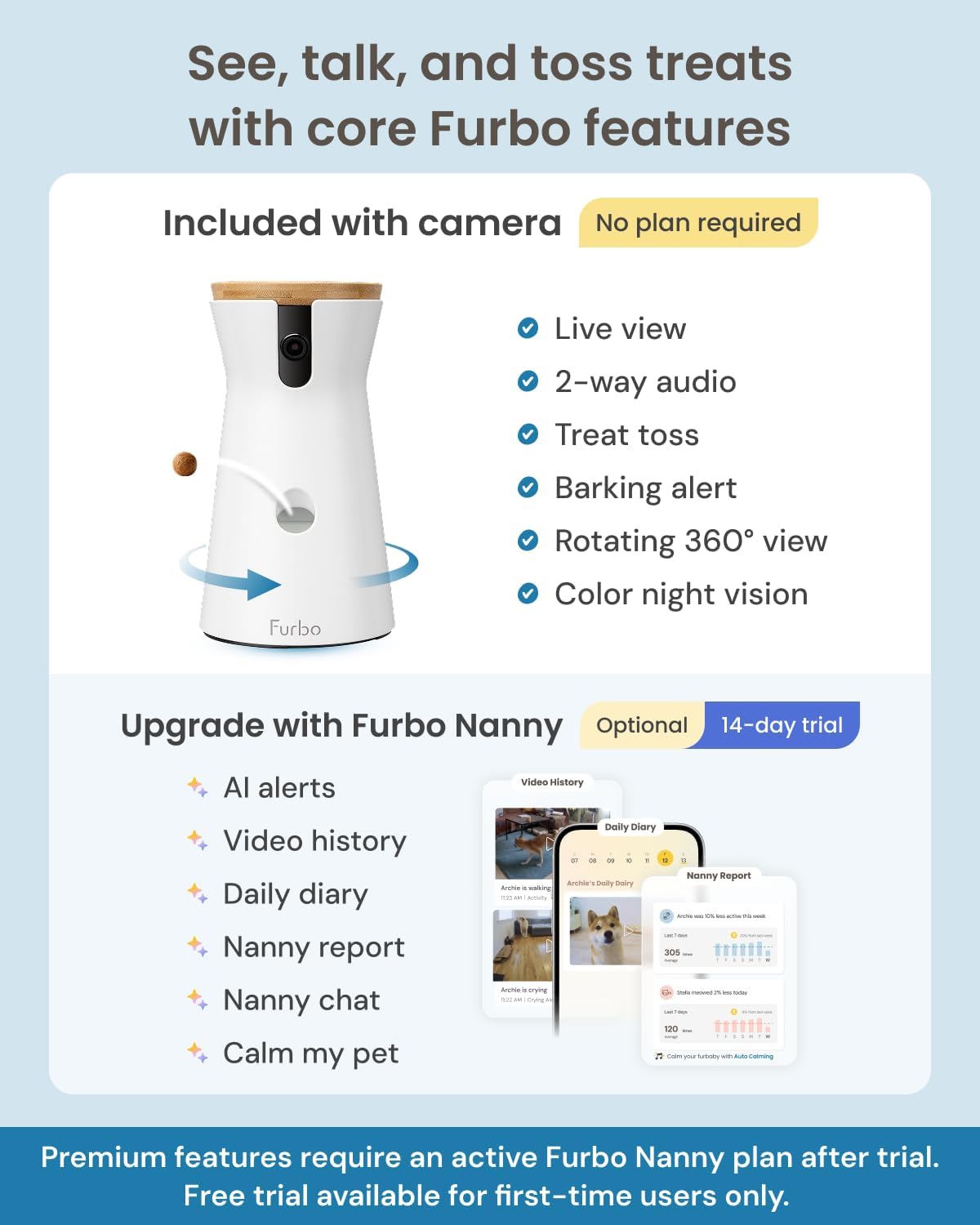
The checked Amazon listing includes 1080p live view, motorized 360-degree rotation, two-way audio, barking alerts, color night vision, and treat tossing. It requires the Furbo app, an account, and 2.4GHz Wi-Fi; the listing says 5GHz is unsupported. A router broadcasting both bands still needs a compatible setup path.
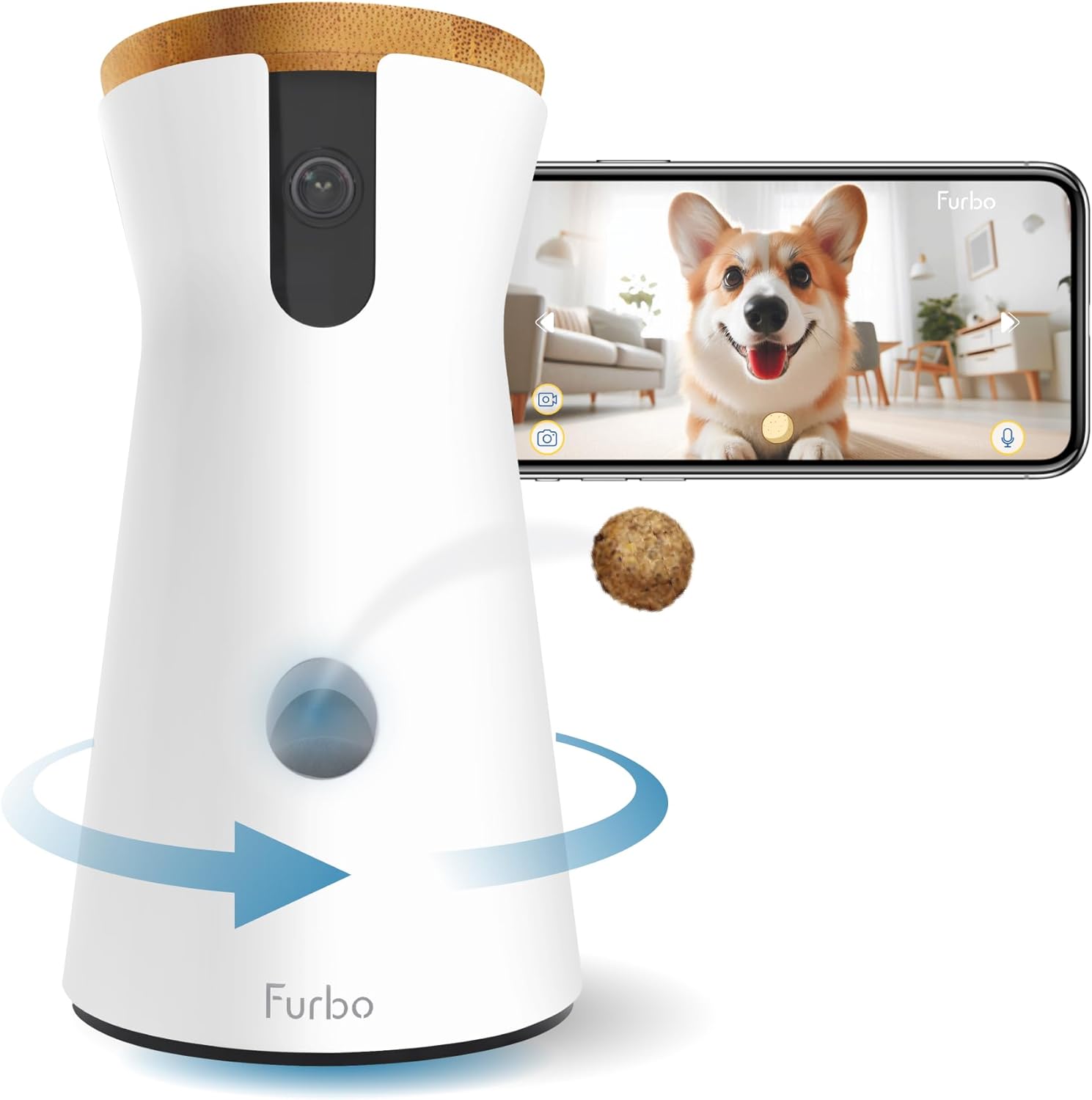
Furbo’s quick-start guide identifies a bamboo lid, treat tosser, microphone and speaker, status light, and a 1.8-meter USB-C cable. It specifically says the adapter is not supplied and calls for a standards-compliant USB adapter delivering 5 V at 2 A, with at least 10 W output.
| Exact selection | 360° Dog Camera, standalone No Subscription Required; B09GDQZLD1 |
|---|---|
| Included core functions | 1080p live view, 360° rotation, two-way audio, barking alerts, color night vision, treat tossing |
| Network | 2.4GHz Wi-Fi; checked listing excludes 5GHz |
| Setup | Furbo app and account required |
| Power | USB; prepare a standards-compliant 5 V / 2 A adapter, minimum 10 W |
| In the box | Camera and USB-C cable; USB power adapter not included |
| Optional paid service | Furbo Nanny recordings and advanced AI features |
Sources: Amazon: Furbo 360 Dog Camera, No Subscription Required, Furbo: official 360 Dog Camera quick-start guide.
Features: live checks versus recorded events
Rotation lets you point the view around a room, but furniture, walls, and a dog moving out of sight still create blind spots. It is not an overhead view of the whole home. A useful placement is one that shows the areas where your dog actually rests and moves, rather than merely looking neat on a shelf.
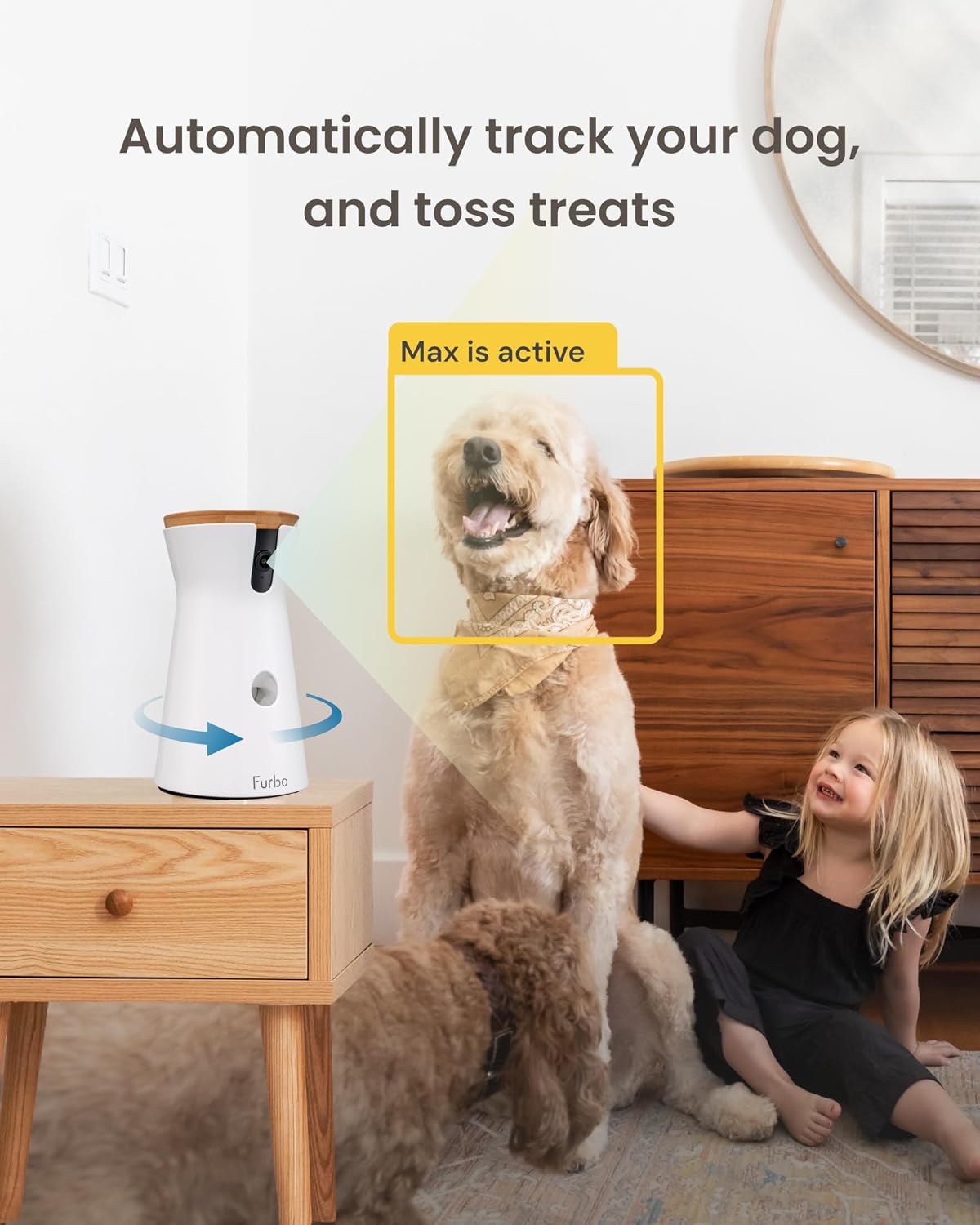
Furbo’s support page says automatic pet tracking works during live viewing without Nanny. Tracking in Video History needs the subscription. Similarly, hearing or seeing something while the app is open is different from having an event clip waiting later. Decide which of those jobs you expect before treating them as equivalent.
The official standalone-versus-bundle explanation separates real-time interaction and basic barking alerts from Nanny’s additional alerts, recordings, and recaps. The checked Amazon offer advertises a first-user trial, but trial eligibility and terms can change. Do not interpret temporary access to a feature as permanent inclusion with the hardware.
Sources: Amazon: Furbo 360 Dog Camera, No Subscription Required, Furbo: standalone camera versus Nanny bundle, Furbo: Auto Pet Tracking and subscription distinction.
Research: historical creator coverage, current feature checks
A 2022 Furbo 360 launch review by Sara Ondrako provides historical creator context. It is not evidence of current virality or exact-variant sales. We do not use its age or popularity to establish today’s app functions, subscription terms, or the contents of a current Amazon offer.
This review instead uses the selected Amazon variant, Furbo’s current quick-start guide, and support explanations. We have not assigned a rating from customer stars or repeated claims that the camera treats separation anxiety. The most important buying question is whether live interaction is enough or whether you need paid recordings when you are not watching.
Sources: Sara Ondrako: historical Furbo 360 launch review, 2022, Amazon: Furbo 360 Dog Camera, No Subscription Required, Furbo: official 360 Dog Camera quick-start guide, Furbo: standalone camera versus Nanny bundle.
Safety and care: placement, treats, and privacy
Furbo recommends placing the unit two to four feet above the floor and within fifteen feet of the router. Those are setup guidelines, not a guarantee of coverage. Secure the camera and route its cable outside chewing reach. Test live view and notifications from away from home before relying on the setup.
The dog-camera treat guide recommends dry, firm, roughly half-inch treats that are not sticky or easily crumbled. Introduce tossing while supervising your dog in person. Match portions and treat size to the animal’s needs; ask your veterinarian if unsure. Keep the hopper free of stale food and follow the unit’s cleaning instructions rather than rinsing electronics.
Consider the privacy of family, visitors, and pet sitters. Limit account access and use available account-security protections. Internet or power failures can interrupt service, and an alert can be missed. Arrange real-world pet care and a way for someone to help when you cannot be there.
Sources: Furbo: official 360 Dog Camera quick-start guide, Furbo: Best Treats to Use, dog-camera guide, Amazon: Furbo 360 Dog Camera, No Subscription Required.
Buying: inspect the subscription selection before checkout
Confirm the 360° Dog Camera and No Subscription Required selection, not a Nanny-required edition, Mini, or Cat Camera. Include a suitable adapter in the setup budget if you do not already own one. Read any trial and subscription terms before enabling paid features.
Check current seller, total, returns, and delivery. Existing Nanny subscribers should verify their plan’s multi-camera rules before adding hardware. This article makes no current-price, uninterrupted-service, or stock promise.
Sources: Amazon: Furbo 360 Dog Camera, No Subscription Required, Furbo: standalone camera versus Nanny bundle, Furbo: official 360 Dog Camera quick-start guide.
Questions: practical answers before you buy
Can I use this exact model without paying monthly?
Yes. The selected standalone listing includes its core see, talk, barking-alert and treat-tossing features without a Nanny subscription. Confirm B09GDQZLD1 and the no-subscription selection.
Is video history included for free?
Furbo Nanny video history and advanced AI features are separate paid-service functions after any eligible trial. Live viewing is a different feature.
Does automatic tracking require Nanny?
Furbo’s support page distinguishes automatic tracking during live view, which does not need Nanny, from tracking for Video History, which does.
Does it include a wall adapter?
The checked listing and official quick-start guide say no. Prepare the specified 5 V / 2 A USB adapter with at least 10 W output.
Will it prevent separation anxiety or keep my dog safe?
It cannot guarantee either outcome. It provides remote interaction and visibility. It cannot replace in-person care, behavior advice when needed, or an emergency plan.
Sources: Amazon: Furbo 360 Dog Camera, No Subscription Required, Furbo: official 360 Dog Camera quick-start guide, Furbo: standalone camera versus Nanny bundle, Furbo: Auto Pet Tracking and subscription distinction, Furbo: Best Treats to Use, dog-camera guide.
Sources and limitations
Research checked October 11, 2026. We checked the exact product identity against the primary sources below. Published specifications and seller imagery are not independent performance tests.
Sources: Amazon: Furbo 360 Dog Camera, No Subscription Required, Furbo: 360 Dog Camera product page, Furbo: official 360 Dog Camera quick-start guide, Furbo: standalone camera versus Nanny bundle, Furbo: Best Treats to Use, dog-camera guide, Furbo: Auto Pet Tracking and subscription distinction, Sara Ondrako: historical Furbo 360 launch review, 2022.
Four genuine exact-listing images illustrate the camera and app. Phones and treats are props. Trial and advanced-feature graphics do not establish permanent inclusion; verify current paid-service terms. Public-use image licensing remains unverified. Image-use disclosure.
Is this a hands-on review?
No. We have not measured performance, handling or durability. Product-specific evidence limits appear in the Research section.
Are these affiliate links?
Purchases through our retailer links may earn a commission. Disclosure and reader-rating privacy.
Image sources and context
- Exact standalone listing hardware. Phone and pet imagery illustrate app use. Image provenance: m.media-amazon.com
- Brand illustration of live viewing; no independent image-quality test implied. Image provenance: m.media-amazon.com
- Automatic tracking during live view is included; tracking for Video History is a separate Nanny function. Image provenance: m.media-amazon.com
- The selected listing distinguishes included core functions from paid Nanny extras. Recheck trial eligibility and terms. Image provenance: m.media-amazon.com