

Verdict: useful for small, accessible dust traps
The OXO Good Grips Electronics Cleaning Brush makes the most sense as a small maintenance tool for loose exterior dust, especially around keys and seams that a full-size cloth cannot easily reach. Buy it for a specific recurring nuisance rather than expecting it to restore a dirty device by itself.
This research-based review covers orange-tip model 12274200, Amazon ASIN B07V9J9S76. We have not tested scratch resistance, dust pickup, bristle shedding, or the slider’s long-term reliability. Our assessment is based on the design, verified product identity, and the limits imposed by device-care instructions.
Reasons to consider it
- Two small working ends in one body
- Retractable brush and covered silicone tip
- Easy to keep near a desk
Trade-offs
- Narrow tool for small jobs
- No established ESD certification
- Device-specific restrictions still apply
Sources: OXO: Electronics Cleaning Brush, SKU 12274200, Amazon: orange brush, 12274200 / B07V9J9S76.
Facts: the exact orange-tip brush
Amazon identifies the selected product as model 12274200 and lists one electronics cleaning brush. OXO’s UK page independently matches that SKU. The word orange describes the silicone working end; the main body is gray. This distinction helps avoid ordering OXO’s wider Sweep & Swipe laptop cleaner by mistake.
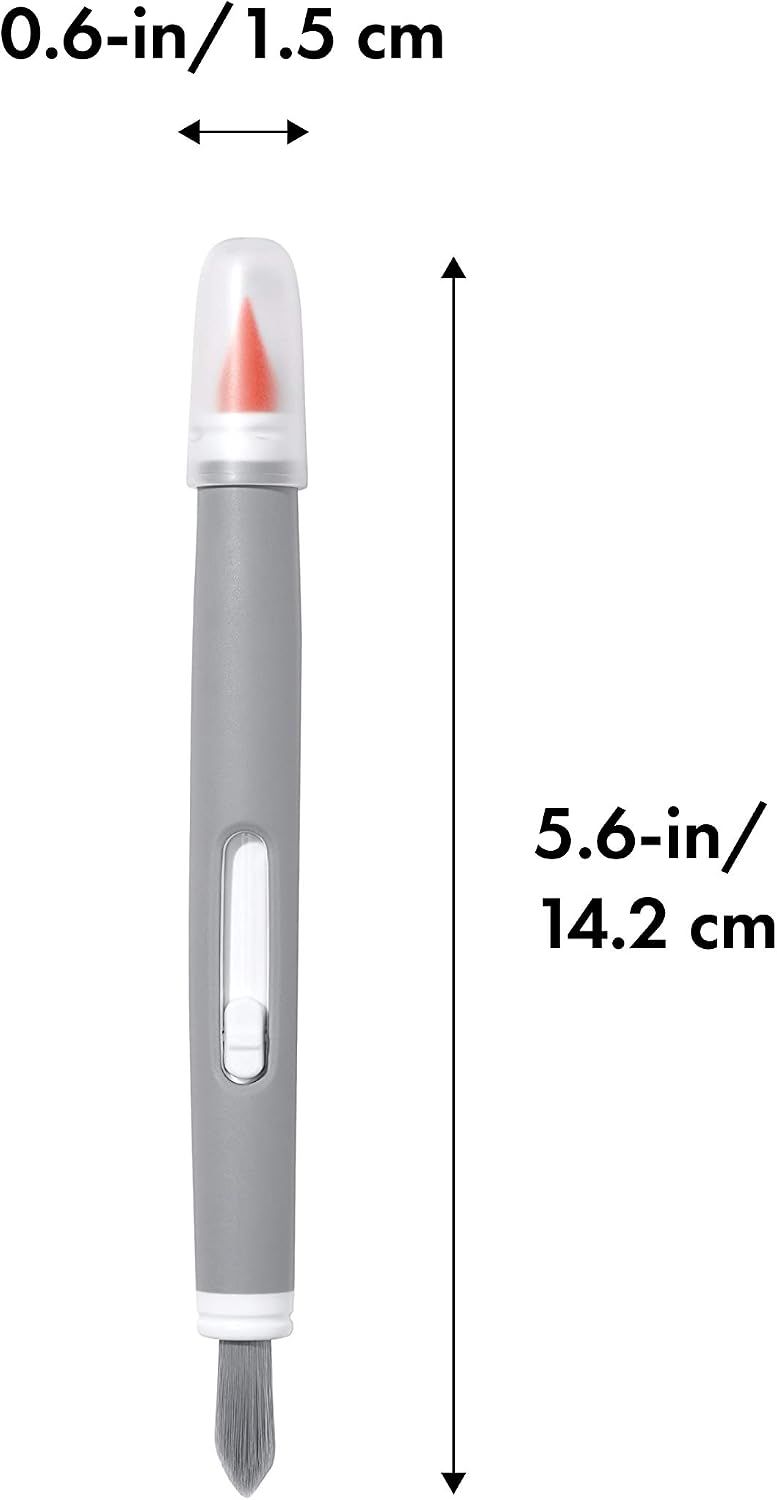
The Japanese manufacturer page describes a compact pen-style tool and supplies approximate regional measurements. We use the model number and visible working ends as the primary identifiers rather than combining differing retailer dimension fields into a supposedly precise size.
| Exact model | 12274200; orange silicone tip with gray body |
|---|---|
| ASIN | B07V9J9S76 |
| Included | One double-ended electronics brush with wiper cap |
| Working ends | Retractable bristles and silicone wiper |
| Power | Manual; no battery or motor |
| Intended role | Loose exterior dust and accessible crevice debris |
Sources: Amazon: orange brush, 12274200 / B07V9J9S76, OXO: Electronics Cleaning Brush, SKU 12274200, OXO Japan: 12274200 specifications.
Features: choose the end for the debris
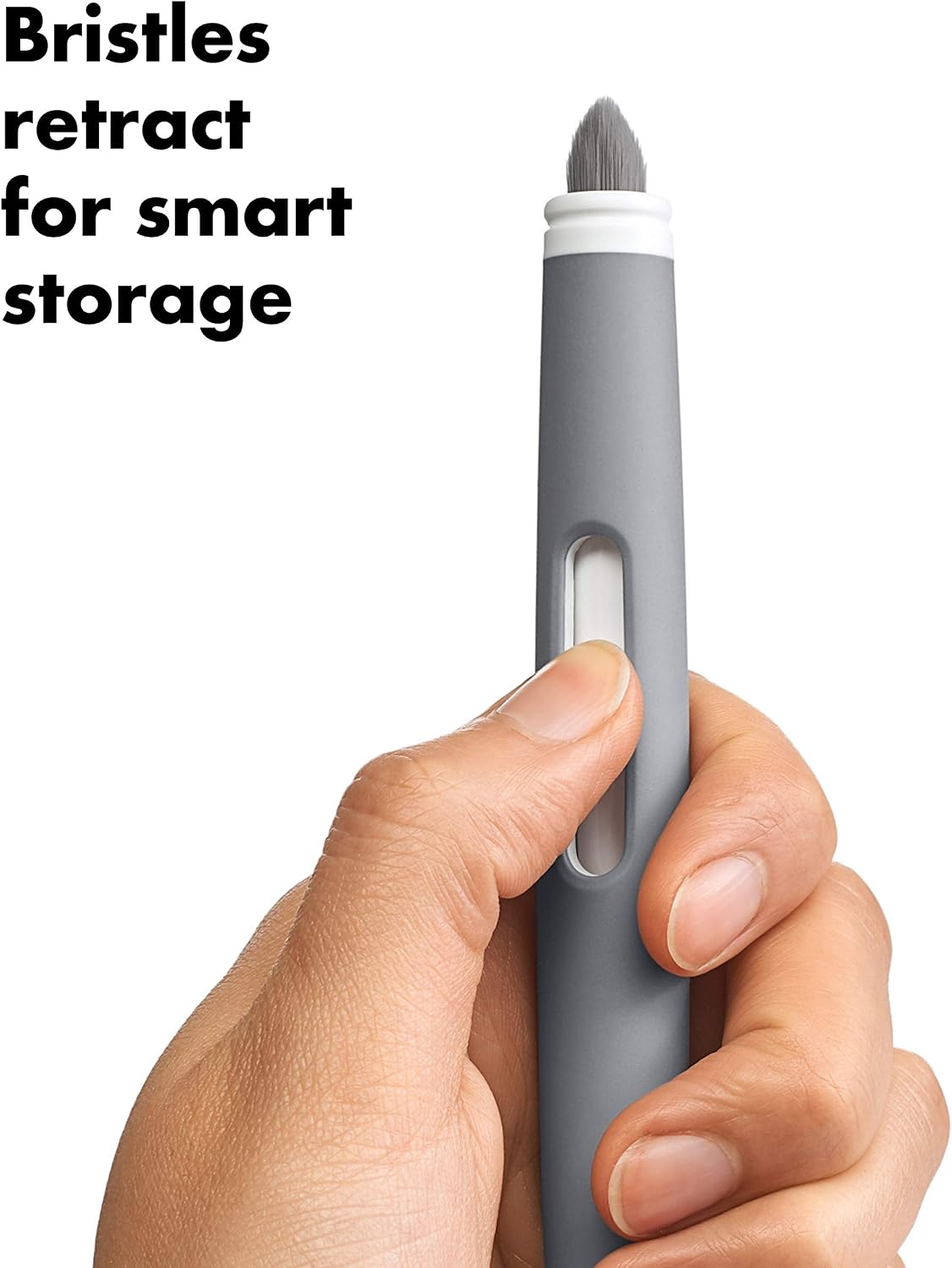
The soft bristle end is intended to sweep loose dust. The silicone wiper is shaped for small, hard-to-reach areas, and it has a protective cap. Retraction keeps the bristles contained in storage. Those are useful convenience features; they do not establish that every surface or connector can tolerate contact.
The practical trade-off is coverage. A pen-sized head gives a clear view of the spot being worked on but covers little area per pass. If the task is an entire desktop or a large monitor, this tool is likely to be a detail accessory alongside the equipment maker’s approved cloth.
Sources: OXO: Electronics Cleaning Brush, SKU 12274200, Amazon: orange brush, 12274200 / B07V9J9S76.
Research: where its value stops
We favor the design when dust is visible, reachable, and loose enough to remove gently. Sticky residues, liquid damage, a blocked cooling path, and malfunctioning switches are different problems. Buying a cleaning brush does not establish that a device needs cleaning rather than repair.
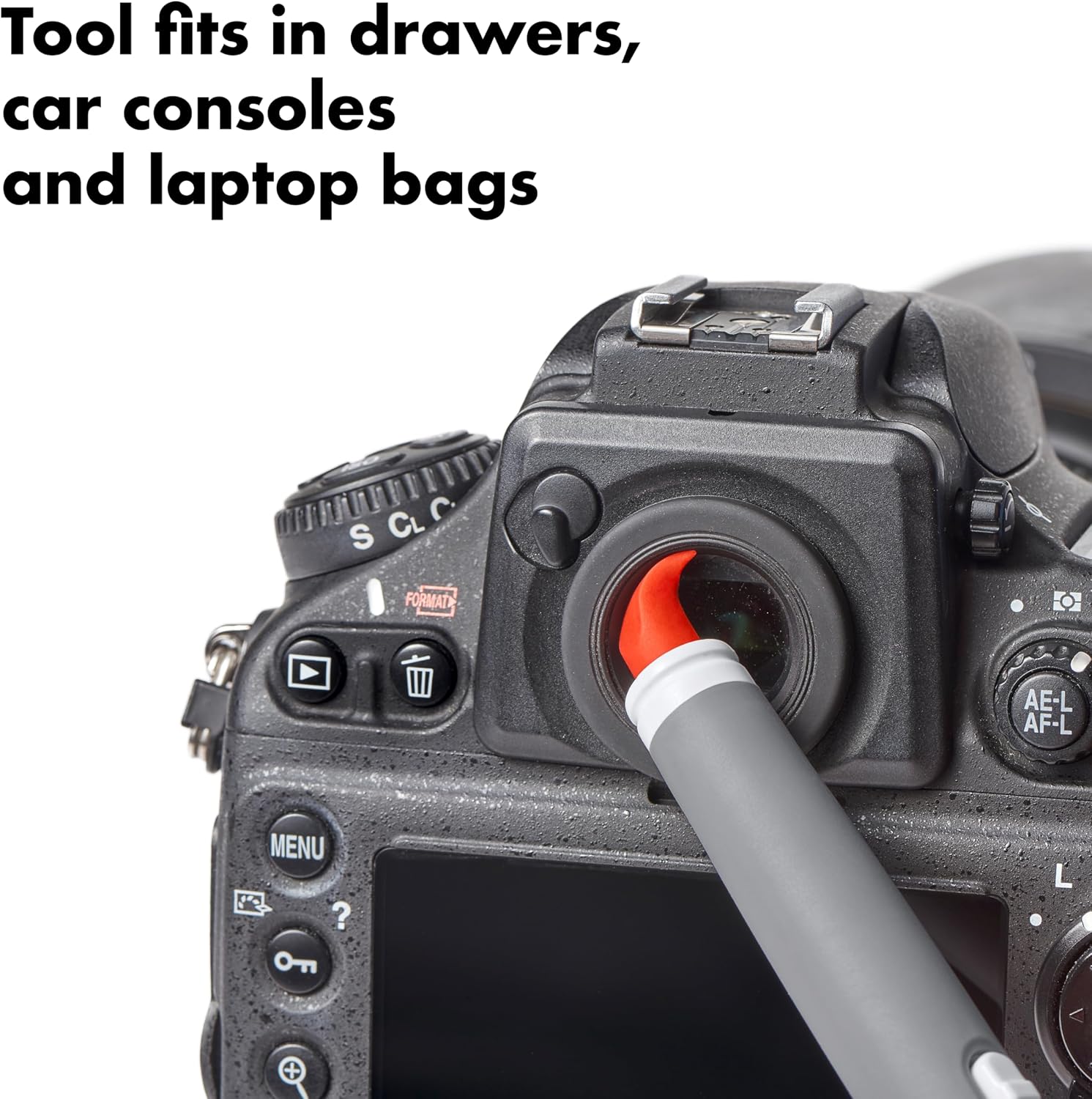
Product imagery shows the silicone tip around a camera eyepiece. Treat that as a manufacturer demonstration of shape, not proof of compatibility with every camera coating or optical surface. We found no basis to promise a scratch-free result or to use this consumer tool on exposed electronics.
Sources: OXO: Electronics Cleaning Brush, SKU 12274200, Amazon: orange brush, 12274200 / B07V9J9S76.
Safety and care: the device instructions take priority
Apple’s guidance, for example, calls for a soft lint-free cloth, disconnected power and cables, and keeping moisture out of openings. Individual devices have further requirements. If your device specifies a cloth-only method or special display care, follow that method instead of assuming OXO’s broad electronics description overrides it.
Work gently on accessible exterior areas only. Do not pry off keys, force the wiper into a port, or push contamination farther inside. Inspect both ends for trapped grit before contact and keep this brush separate from greasy household cleaning tools. A visibly dirty brush is a poor choice for delicate equipment.
Sources: Apple: device-specific cleaning guidance, OXO: Electronics Cleaning Brush, SKU 12274200.
Buying: a detail tool, with a clear job in mind
Choose this model if you repeatedly notice loose dust in small exterior gaps and your device permits gentle brush cleaning. A cloth already recommended by your device maker may be sufficient if your main complaint is fingerprints. There is little reason to add another tool without a job it can do safely.
Before ordering, confirm ASIN B07V9J9S76, model 12274200, the orange silicone tip, and the included cap. Check seller, delivery, return terms, and the final total. Prices and availability change, so the affiliate link is for checking the current offer rather than a guaranteed deal.
Sources: Amazon: orange brush, 12274200 / B07V9J9S76, Apple: device-specific cleaning guidance.
Questions: common fit and care checks
Does the brush clean fingerprints from a whole screen?
A narrow brush is better matched to loose particles and edges. For oily marks across a display, follow the device maker’s recommended cloth and cleaning method. This is not a broad polishing pad.
Can I push the silicone tip into a charging port?
Do not treat the tip as a pick or force it into connectors. Check the device instructions first; packed debris or a charging fault may need manufacturer service.
Is the brush anti-static?
We did not find an ESD-safe certification in the reviewed OXO specifications. Do not infer approval for exposed circuit boards or internal electronics from the product name.
Can I wash it in a dishwasher?
No dishwasher-safe instruction was established for this model. Follow the supplied packaging or ask OXO for care guidance; keep the working ends clean and dry before electronics use.
How does it store?
The bristles retract into the body and the silicone end has a cap. Replace the cap after cleaning and check for grit before the next use.
Sources: OXO: Electronics Cleaning Brush, SKU 12274200, Amazon: orange brush, 12274200 / B07V9J9S76, Apple: device-specific cleaning guidance.
Sources and limitations
Research checked October 11, 2026. We checked the exact product identity against the primary sources below. Published specifications and seller imagery are not independent performance tests.
Sources: OXO: Electronics Cleaning Brush, SKU 12274200, Amazon: orange brush, 12274200 / B07V9J9S76, Apple: device-specific cleaning guidance, OXO Japan: 12274200 specifications.
Four genuine selected-listing images show the exact brush and manufacturer demonstrations. A camera-eyepiece image illustrates shape, not approval for every optical surface. Dimensions are seller-reported. Public-use image licensing remains unverified. Image-use disclosure.
Is this a hands-on review?
No. We have not measured performance, handling or durability. Product-specific evidence limits appear in the Research section.
Are these affiliate links?
Purchases through our retailer links may earn a commission. Disclosure and reader-rating privacy.
Image sources and context
- The reviewed orange-tip 12274200 brush, shown in the selected Amazon gallery. Image provenance: m.media-amazon.com
- Listing dimension graphic for the selected brush. Measurements are seller-supplied rather than independently measured. Image provenance: m.media-amazon.com
- Brand demonstration of the wiper’s shape around a camera eyepiece; follow the camera maker’s care instructions. Image provenance: m.media-amazon.com
- The slider retracts the bristles for storage. Original brand demonstration from the selected product gallery. Image provenance: m.media-amazon.com