
Verdict: a basic travel hub with clear limits
The UGREEN Revodok 105 is a sensible shortlist option when you need one HDMI display, a keyboard and mouse, and an occasional USB-A drive from a compatible USB-C laptop. Its appeal is a focused port selection. It becomes a poor fit when your needs include 4K at 60 Hz, Ethernet, memory cards, or several fast storage devices.
This research-based review covers gray model CM478, SKU 15495, ASIN B0BR3M8XHK. We have not measured transfer rates, display stability, or heat. Read the detailed limits before choosing it: “5-in-1” describes port count, while “100W” refers to power input rather than the maximum delivered to the computer.
Reasons to consider it
- Focused mix for keyboard, mouse and one faster drive
- HDMI and charging through one host connection
- Attached host cable
Trade-offs
- 4K output limited to 30 Hz
- Only one faster USB-A data port
- Host must support video and charging functions
Sources: UGREEN US: SKU 15495 hub, UGREEN EU: Revodok 105 specifications, Amazon: CM478 / Revodok 105.
Facts: five ports, with two different USB speeds
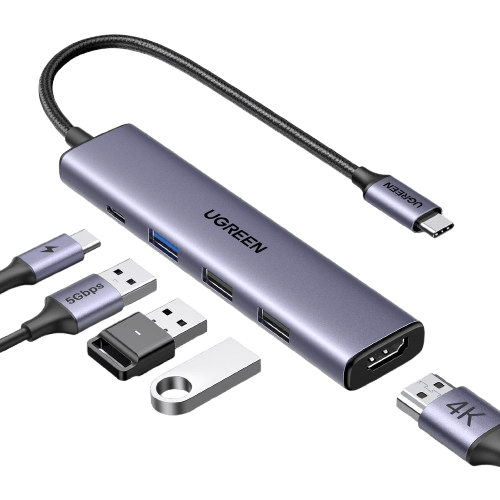
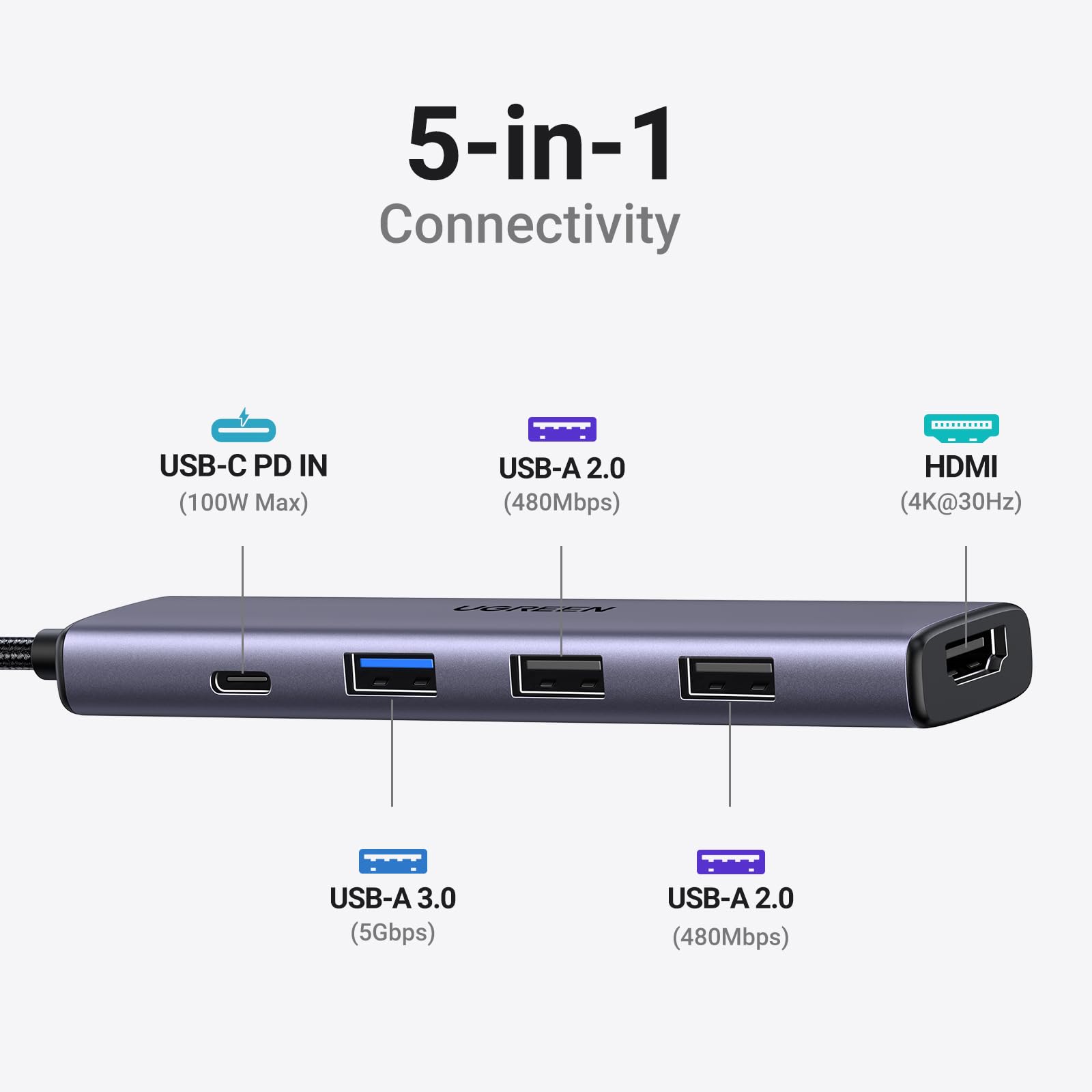
The exact layout is one HDMI output, one USB-C Power Delivery input, one USB-A 3.0 data port, and two USB-A 2.0 ports. The USB-C socket on the hub is for power input; it is not an extra USB-C data or display connection. The attached USB-C cable connects the hub to the host.
The manufacturer’s US SKU and same-SKU EU listing align with the Amazon model identification. Similar Revodok names cover quite different hardware, so a review of a Pro or larger hub should not be used to fill in missing capabilities here.
| HDMI | Up to 4K at 30 Hz |
|---|---|
| USB-A data | One 5 Gbps port; two 480 Mbps ports |
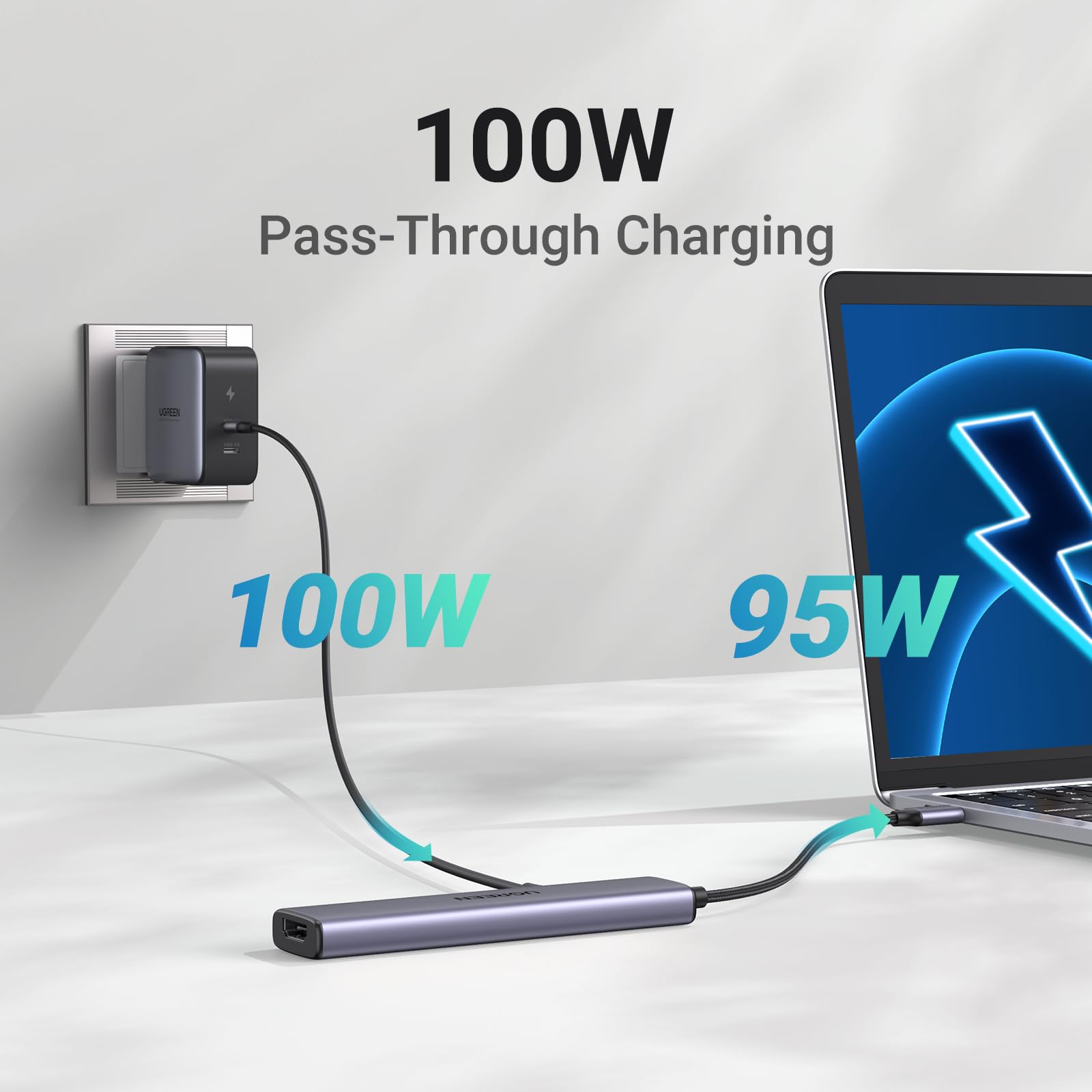
| Power | Up to 100W PD input; up to 95W host pass-through |
| Missing ports | No Ethernet or memory-card reader |
| Model | Revodok 105 / CM478 / SKU 15495 |
Sources: UGREEN US: SKU 15495 hub, UGREEN EU: Revodok 105 specifications, Amazon: CM478 / Revodok 105.
Features: put storage in the fast port
HDMI is specified up to 4K at 30 Hz. That can suit presentations or relatively static content, but a buyer who expects a smoother 4K desktop should compare a verified 4K60 option. A high-resolution monitor does not make the hub’s output specification faster.
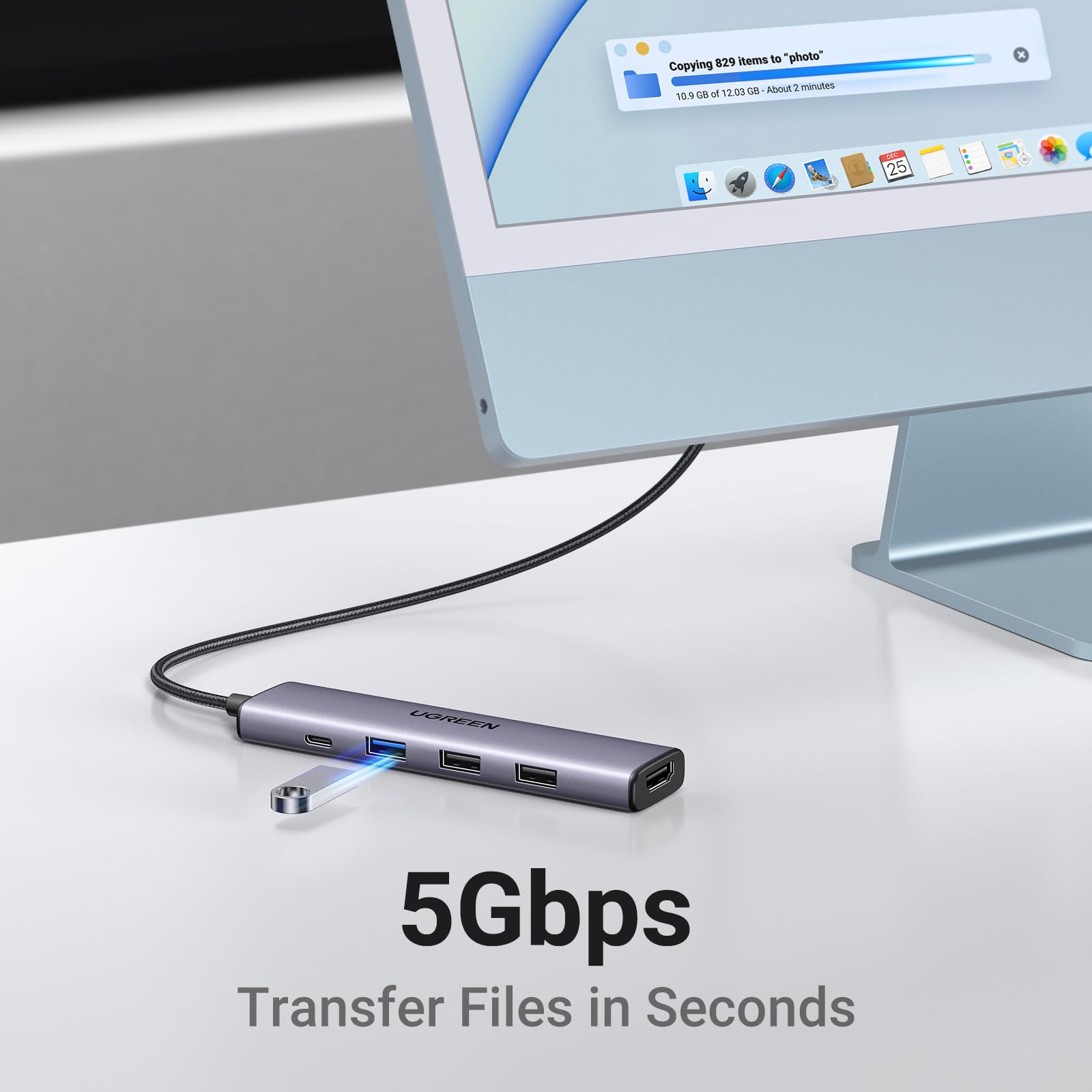
The blue USB-A 3.0 port is rated up to 5 Gbps; the other two USB-A ports are limited to 480 Mbps. A practical arrangement is to reserve the faster port for storage and use the slower ports for a keyboard and mouse. These are interface ceilings, not promised file-copy speeds under every workload.
With suitable power equipment, the hub accepts up to 100W and passes up to 95W to the host, reserving 5W for itself. A lower-powered charger, unsuitable cable, or the laptop’s own limits can reduce charging. Work out the power budget before relying on one charger for a demanding laptop and several connected accessories.
Sources: UGREEN EU: Revodok 105 specifications, UGREEN US: SKU 15495 hub.
Research: compatibility is the purchase decision
A USB-C-shaped port alone does not establish video support. Check the host manufacturer’s documentation for USB-C video output before buying for HDMI. Power Delivery charging is a separate requirement. If one of those functions is absent, this adapter does not add it to the host.
TechRadar included the Revodok 105 in a July 2025 Prime Day roundup. That is dated shopping exposure, not a current offer or evidence of present social virality. We have not used a historic deal price, customer-star average, or listing purchase badge to award a performance score.
For travel, list the actual devices you bring and assign each to a port. If that exercise leaves a card reader, wired network connection, or second fast drive without a suitable place, choose a different hub now rather than expecting an adapter chain to solve everything later.
Sources: UGREEN EU: Revodok 105 specifications, TechRadar: July 2025 USB-hub roundup.
Safety: finish transfers before changing power
UGREEN warns against plugging or unplugging the PD charger during screen sharing or file transfers because it can interrupt the image or data. Connect the intended power setup first. Finish copying, safely eject storage, and end the display session before changing the charger connection.
Use appropriate USB-C PD equipment, keep the hub dry and ventilated, and support attached cables. Do not let heavy drives hang from the hub or pull sideways on the laptop’s port. Stop using damaged cables or connectors. These precautions matter more than assuming an aluminum housing guarantees trouble-free operation.
Before an important presentation, check the complete laptop, cable, hub, and display combination. Carry a direct connection when the event warrants a backup. That is practical planning, not a claim that this particular unit has failed in our testing.
Sources: UGREEN EU: Revodok 105 specifications, UGREEN US: SKU 15495 hub.
Buying: compare the complete setup, not just the hub
Choose this model for a compatible host and a modest accessory kit. Skip it if you require 4K60, Ethernet, card slots, or USB-C data expansion. A charger is not established as included, and illustrated laptops, cables, and drives are demonstrations rather than promised box contents.
Confirm CM478 or SKU 15495 and ASIN B0BR3M8XHK, then check the seller, returns, final cost, and current availability. Include any suitable charger or HDMI cable you still need in your comparison. This review makes no live-price or stock promise.
Sources: Amazon: CM478 / Revodok 105, UGREEN US: SKU 15495 hub.
Related buying research
For a USB-C setup, inspect the storage and charging requirements alongside the hub’s shared limits.
Questions: the limits most worth checking
Can it output 4K60?
No. This exact model’s stated maximum at 4K is 30 Hz.
Can I connect a USB-C SSD to its USB-C socket?
That socket is PD input, not a spare data port. Use a suitable data connection elsewhere.
Will every USB-C laptop support HDMI?
No. The host port must support video output. Verify the exact laptop specification.
Sources: UGREEN EU: Revodok 105 specifications, UGREEN US: SKU 15495 hub.
Sources and limitations
Research checked October 11, 2026. We checked the exact product identity against the primary sources below. Published specifications and seller imagery are not independent performance tests.
Sources: UGREEN US: SKU 15495 hub, UGREEN EU: Revodok 105 specifications, Amazon: CM478 / Revodok 105, TechRadar: July 2025 USB-hub roundup.
Four genuine source images show the reviewed product and supplier demonstrations. Embedded claims are source marketing rather than our measured results; props and other devices are not included unless expressly listed. Public-use image licensing remains unverified. Image-use disclosure.
Is this a hands-on review?
No. We have not measured performance, handling or durability. Product-specific evidence limits appear in the Research section.
Are these affiliate links?
Purchases through our retailer links may earn a commission. Disclosure and reader-rating privacy.
Image sources and context
- The five-port hub; pictured accessories are illustrative. Image provenance: cdn.shopify.com
- Only one USB-A port has the higher 5 Gbps rating. Image provenance: cdn.shopify.com
- Power overhead matters: the maker specifies up to 95W host pass-through. Image provenance: cdn.shopify.com
- Manufacturer 5 Gbps interface graphic, not a measured transfer result. Image provenance: cdn.shopify.com