
Research checked October 17, 2026. Research-based, not hands-on tested. Linked product reviews contain affiliate links. Affiliate disclosure and image credits.
Quick answer
An analog instant camera is for taking a new photograph directly onto instant film. A phone photo printer is for choosing a saved picture before making a physical print. Start with that difference, rather than asking which category makes the “best” photo.
The Fujifilm Instax Mini 12 and Kodak Mini 2 Retro illustrate these workflows. This comparison does not cover hybrid instant cameras, which combine digital capture and printing in another way.
Do you want the photograph, or the taking-and-printing experience?
A separate analog camera can be part of the occasion: you hand it to someone, frame a new shot and make a print. The Mini 12 is not a phone printer. Do not buy it expecting to send photographs from your phone to its film.
A portable phone printer starts later in the process. You can select a picture you already took, including an image from an earlier trip, before committing supplies to a print. This is the more relevant category if your main aim is choosing favorites for a small album or making copies of a saved photograph.
That does not establish that either device produces better-looking results. It tells you where each one fits. A buyer who enjoys the uncertainty of a fresh instant photograph may value something different from someone who wants to review an image first.
Refill names matter more than the word “mini”
Fujifilm specifies Instax mini film for the Mini 12, with a 62-by-46-mm picture area. That is the image area, not the full film sheet. Instax mini, square and wide supplies are not made interchangeable by a similar brand name.
Kodak identifies the Mini 2 Retro P210R as a 4PASS dye-sublimation printer using a matching cartridge with ribbon and paper. It uses matching 2.1-by-3.4-inch KODAK 4PASS cartridges; its current FAQ names ICRG-260, and its specifications describe the paper as non-sticky. Do not buy generic photo paper, sticker paper or a different Kodak cartridge just because the dimensions look close.
Keep the refill model with your shopping notes. A bargain pack is not useful if it fits a different printer, and a larger supply bundle does not change the printer’s supported format.
Account for the phone, app and power
The P210R connects to an iOS or Android phone by Bluetooth and uses a mobile app to print; it has a rechargeable battery. Check current app availability and compatibility with your actual phone before ordering. We have not tested pairing, app reliability or prints per charge.
The Mini 12 instead uses two AA alkaline batteries. Fujifilm lists development at roughly 90 seconds, with ambient temperature affecting the result. That published development estimate is not a timed comparison against the Kodak printer, and it does not include composing the photograph.
For a gift, think about who will replenish film or cartridges and manage charging or batteries. A device that fits the recipient’s existing habits is a better starting point than assuming everyone wants another app.
Compare the full first-month cost without inventing a print price
Check the current price of a compatible refill, its stated print count and the delivered total. Dividing that total by the count gives a planning cost per sheet, not a guarantee that every exposure or printing attempt will be a keeper. Include batteries or charging needs and any supplies that the selected package omits.
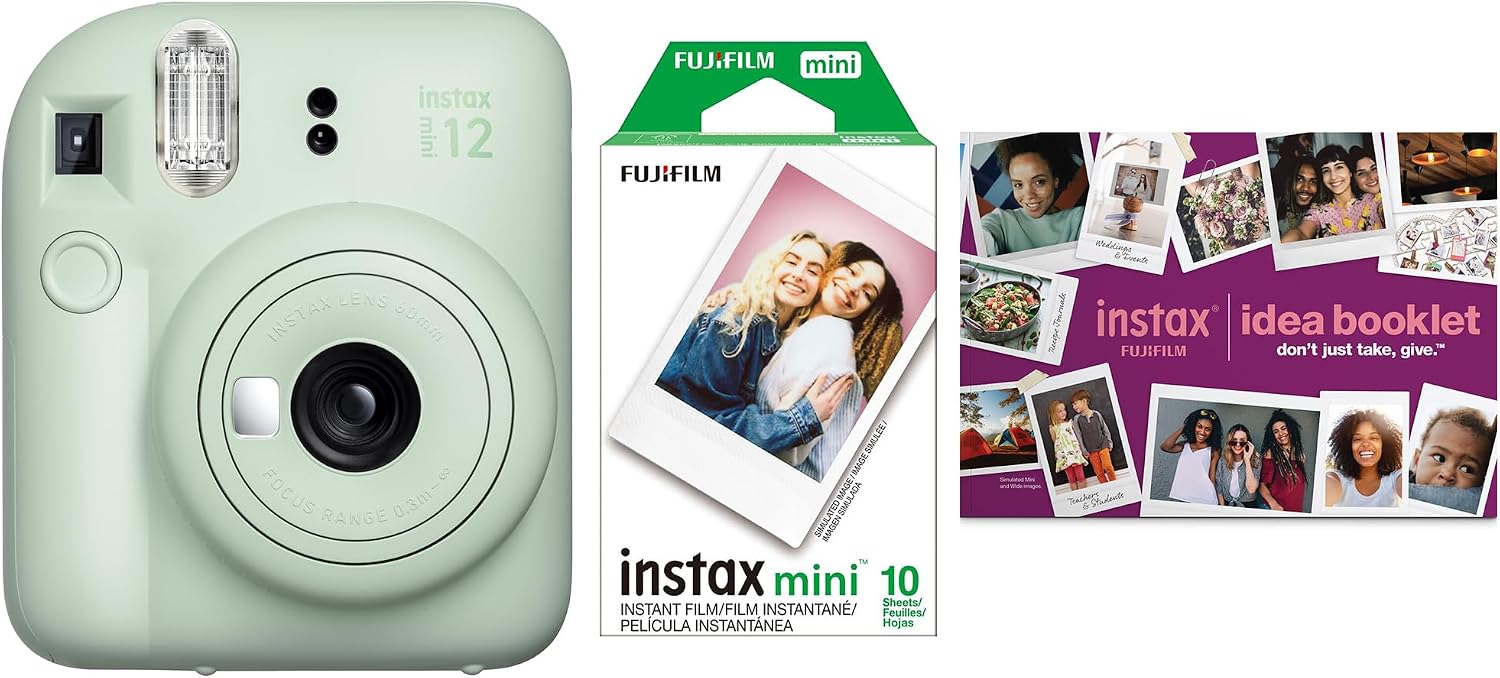
Our catalog’s Kodak review covers the black eight-sheet option; its Mini 12 review covers a Mint Green ten-exposure bundle. These quantities identify those reviewed packages, not every listing with the same camera or printer name. Recheck the selected offer rather than assuming the photograph establishes today’s box contents.
Choose the workflow you will repeat
- Choose an analog instant camera when taking the new photograph and producing that physical print is the experience you want.
- Choose a phone printer when selecting saved images before printing is more important.
- Investigate hybrid models separately if you want capture and preview in one device.
- Pause the purchase if you cannot identify the matching refill or required app.
Read our Instax Mini 12 bundle review and Kodak Mini 2 Retro review for the exact catalog examples.
Common buying questions
Can the Instax Mini 12 print a phone photo?
No. The Mini 12 is an analog instant camera, not a wireless phone printer. Choose the appropriate printer category if your starting point is a saved phone image.
Can I swap film and printer refills?
No. Match Instax mini film to the Mini 12 and the specified KODAK 4PASS cartridge to the P210R. Similar small-print sizes do not establish compatibility.
Does every package include the same initial supplies?
No. The eight-sheet and ten-exposure quantities identify the reviewed packages, not every offer. Recheck the selected bundle and compatible refill cost.
Sources and research limits
Manufacturer documents establish the formats and workflows described here. We have not compared color accuracy, image quality, fading, app behavior, battery endurance or current cost per print. The pictured sample images belong to the supplier presentation and are not our test prints.
Sources: Kodak: Mini 2 Retro P210R specifications and refill FAQ; Fujifilm: Instax Mini 12 specifications; Fujifilm: Instax product-family comparison.