
Research checked October 16, 2026. Research-based, not hands-on tested. Linked product reviews contain affiliate links. Affiliate disclosure and image credits.
Quick answer
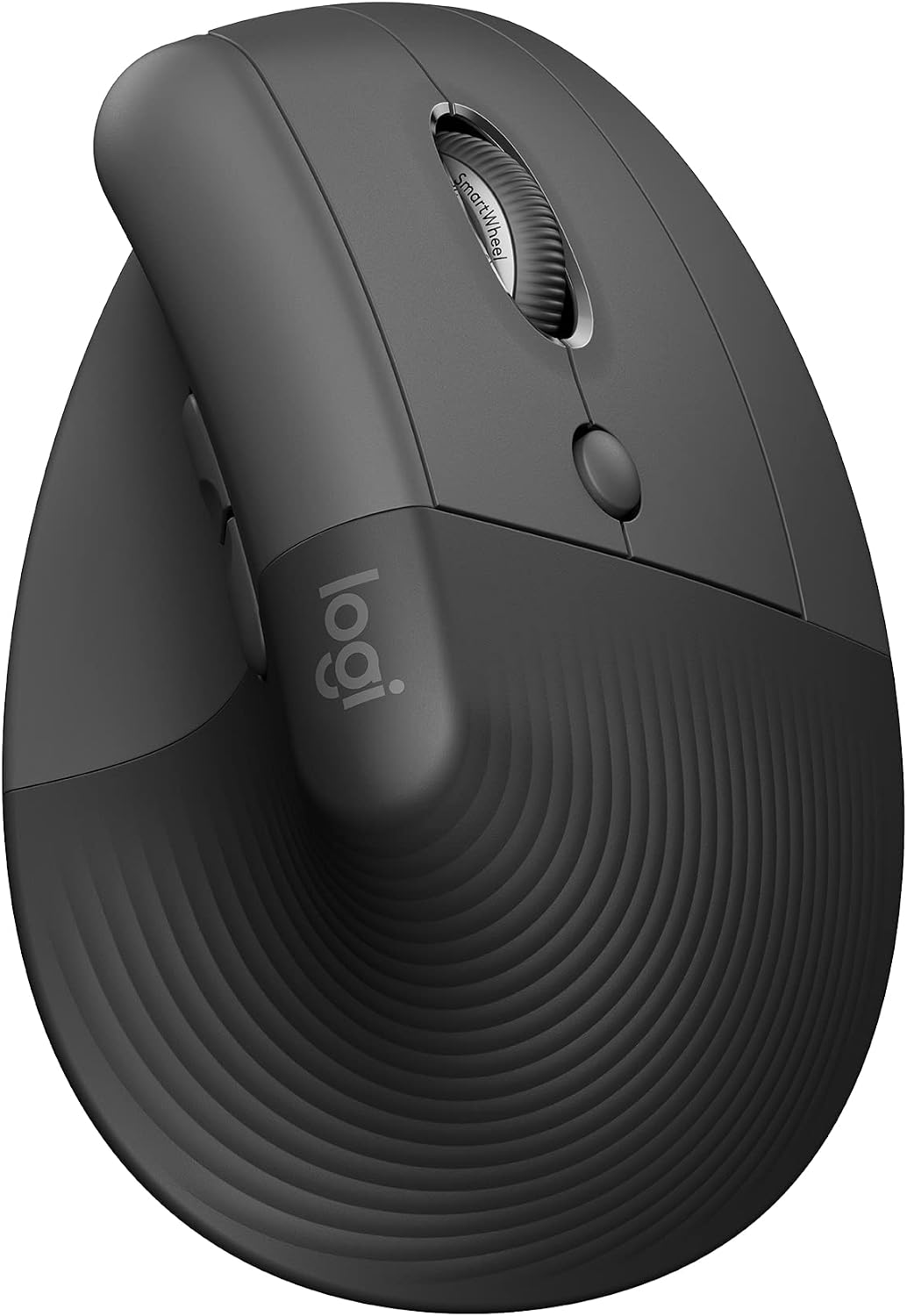
The best starting point for Logitech Lift versus MX Vertical is your hand, not the feature list. Logitech positions Lift for small to medium hands and MX Vertical for medium to large hands. That overlapping middle category matters: a size label narrows the choice but does not guarantee comfortable button reach. Source: Logitech’s ergonomic mouse brochure.
This guide compares documented design and connection choices. We have not conducted hands-on comfort testing, and neither mouse should be treated as a promise to resolve pain or a medical condition.
Decide which hand you will use
Lift has a left-handed option as well as right-handed versions. Check the selected listing variant, especially when marketplace photos combine multiple colors or versions. Buying a right-hand shell and planning to swap hands later is not equivalent to buying a left-hand mouse. Source: Official Lift page.
If you share a workstation with someone who uses the other hand, a strongly hand-specific design introduces a compromise. That might be a reason to keep separate mice rather than search for one vertical model that fits everyone.
For medium hands, assess reach rather than guessing
Try to rest your hand without squeezing the mouse to hold it in position. Can you reach the main buttons and wheel without shifting your grip? Are side buttons accessible without stretching? Does the shape support your usual grip, or are you continually moving your palm to find the controls?
When possible, try both shapes before purchasing. If that is not possible, check the retailer’s return conditions before treating an online fit recommendation as settled. Hand length is only part of the decision; finger proportions and preferred grip can change how a shell feels.
Keep the broader workstation in mind too. A mouse that suits your hand can still be awkward if your desk forces you to reach for it. Source: Logitech’s positioning guidance emphasizes both hand choice and setup.
Check your receiver family
These are not interchangeable USB-receiver purchases. Logitech’s support instructions specify Bluetooth or a Unifying receiver for MX Vertical. Lift’s instructions specify Bluetooth Low Energy or Logi Bolt. Do not assume that a receiver from another Logitech product will pair just because the logo matches. Source: MX Vertical setup; Source: Lift setup.
For a work computer, check whether Bluetooth is available and whether you are allowed to install configuration software. Basic pointing and optional customization are separate questions. Also verify the box contents for the consumer, business or Mac variant you are actually ordering.
Choose your power routine
Compare the battery arrangement with how you use the desk. A replaceable battery can suit someone who keeps spares; a rechargeable mouse can suit someone who prefers plugging in rather than replacing cells. Confirm these details for the specific version, along with any cable or battery included.
MX Vertical’s official setup instructions include corded operation. If working over a cable is an important fallback, verify that explicitly rather than assuming every mouse with a charging socket also sends pointer data through it.
Who should buy which?
Lift is the first model to investigate for smaller hands or a left-handed option. MX Vertical is the first to investigate when a larger shell or documented corded use matters. For medium hands, fit testing is more useful than declaring either model universally superior.
Before ordering, check handedness, exact model, receiver compatibility, supported operating system and return terms. If your existing mouse already works well and you are buying solely because “vertical” sounds better, pause. A different shape is an option to evaluate, not an automatic upgrade.
Common questions
Which is better for medium hands?
Logitech’s intended size ranges overlap, so there is no automatic answer. Compare button reach and grip in person where possible, or verify return terms before ordering.
Can I use my existing Logitech receiver?
Check its family. The cited support pages specify Unifying for MX Vertical and Bolt for Lift. A Logitech logo alone does not establish compatibility.
Will a vertical mouse fix wrist pain?
This guide does not establish that. Fit and preference are individual; neither model is presented here as a treatment. Do not substitute a purchase recommendation for evaluating persistent discomfort.
Related buying research
Our Graphite right-handed Logitech Lift review covers the pictured version. It is not a review of MX Vertical or the left-handed variant.