
Verdict
The RONGTA RP415 is worth considering for a Whatnot shipping station when you regularly need adhesive 4×6 labels and can set up a supported printer connection. The buying decision is less about the speed printed on the box than whether your actual computer, label files and stock work together. Start with that check before relying on it for a busy show.
This review covers the grey RP415-GW listing, ASIN B0GNGZ5TJD. It is a source-based assessment, not a hands-on test. We have not measured barcode readability, feed reliability, Bluetooth reconnection, noise or time saved. The RP415 family has multiple versions; a different suffix or retailer listing can mean different specifications.
Reasons to consider it
- Direct-thermal printing avoids ink and toner cartridges
- 4×6 shipping-label format fits a common seller workflow
- Roll and fanfold stock give different packing-table options
- Official RP415 support includes drivers and a manual
Trade-offs
- Connection and software setup still matter
- Not verified as a native Whatnot Tray integration
- No independently tested reliability or throughput figures
- Current stock and seller not verified
Sources: Amazon RP415-GW listing (ASIN B0GNGZ5TJD; cached page), RONGTA RP415 family specifications.
Facts
Keep the exact variant in view when comparing offers. The family specification is useful context, but its interface alternatives are not a promise that one printer includes every connection.
| Reviewed listing | RONGTA RP415-GW / RP415 series; Grey; B0GNGZ5TJD |
|---|---|
| Printing | Monochrome direct thermal; 4×6 shipping-label use |
| Listing connections | USB and Bluetooth; no verified Wi-Fi or AirPrint claim |
| Family resolution | 203 dpi, according to RONGTA |
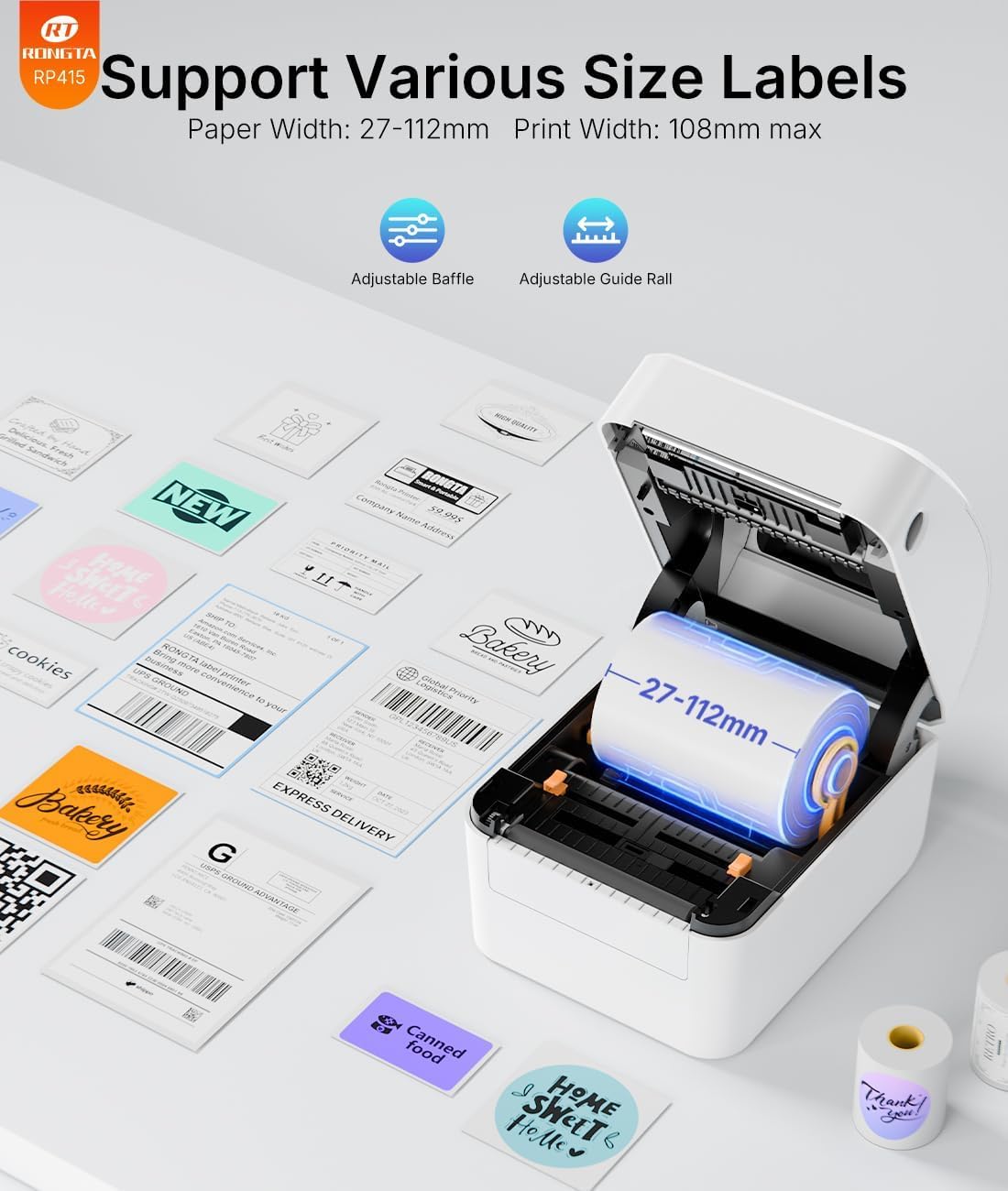
| Family media range | 27–112 mm paper width; up to 108 mm print width |
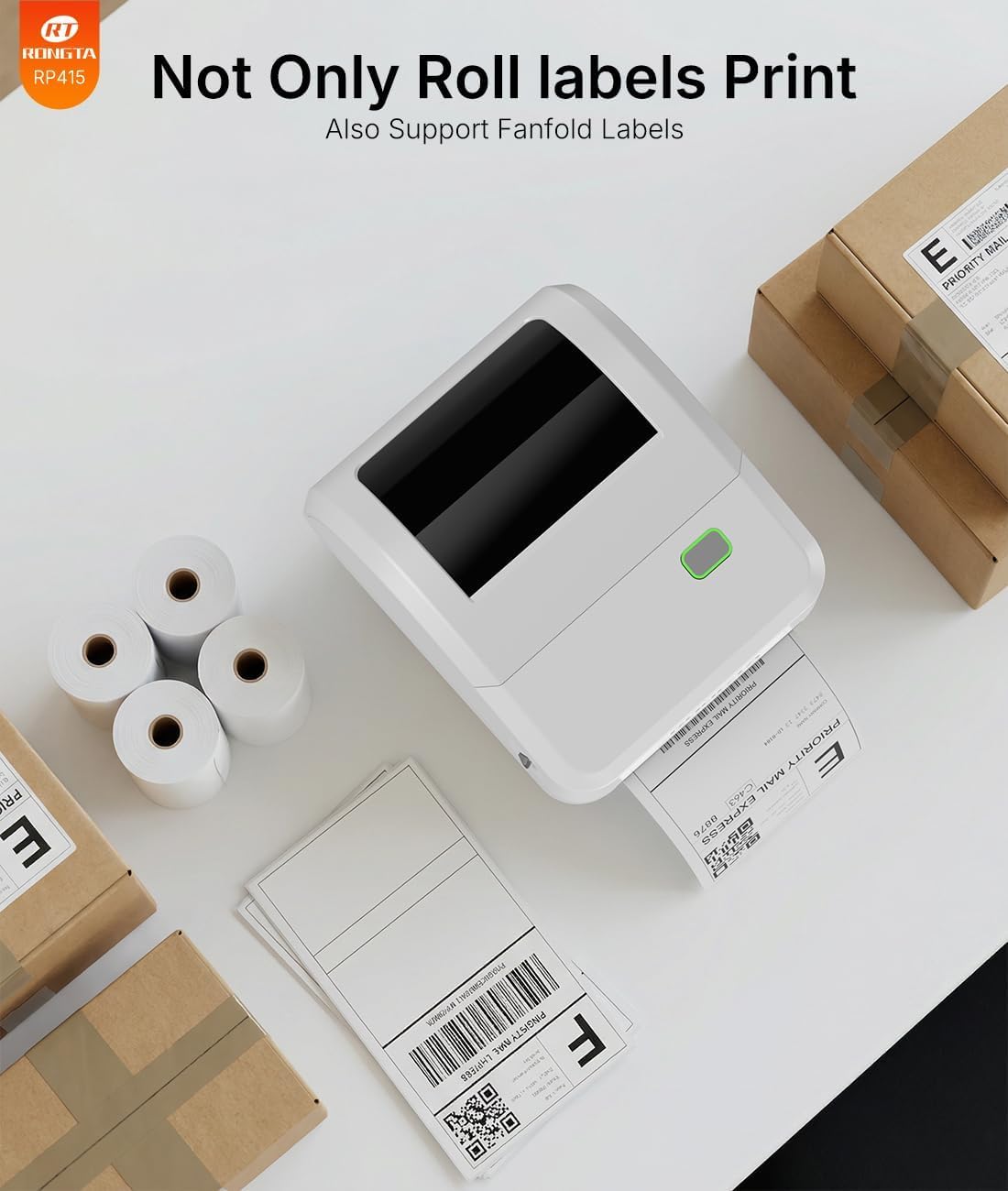
| Media handling | Roll or fanfold thermal stock; manual tear-off |
| Quoted family speed | Up to 150 mm/s, a manufacturer specification, not our measured result |
Sources: Amazon RP415-GW listing (ASIN B0GNGZ5TJD; cached page), RONGTA RP415 family specifications.
Features
Choose your paper arrangement before buying a large pack. An internal roll keeps the supply together, while fanfold labels need clear space behind the printer. Avoid positioning either supply where a box, cable or leaning stack can interfere with the feed path. The useful footprint is the printer plus its working space, not just the housing dimensions.
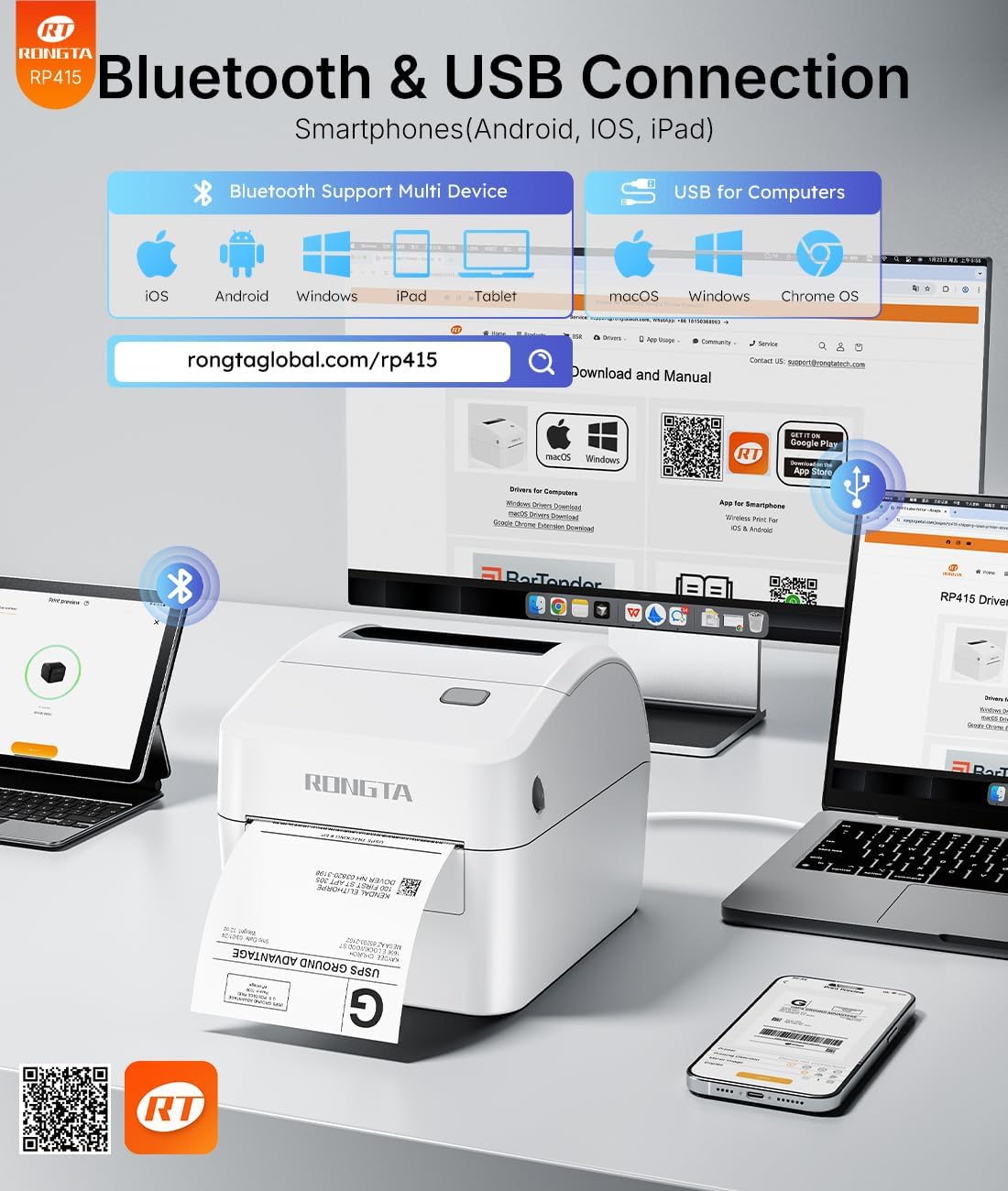
Use the RP415 support page to find the appropriate driver and instructions. It currently provides Windows, macOS and Linux downloads, plus mobile and browser guidance. A support download is not proof that every operating-system release, computer policy or connection combination will work. In particular, check the exact RP415-GW setup rather than inferring Mac Bluetooth support from a family-level demonstration.
For a shared packing desk, choose a repeatable routine: one saved label size, one known connection and a test print after changing stock. Keep inventory-label work in its own batch so a 4×2 design is not accidentally sent to 4×6 stock. These are workflow recommendations, not measured RP415 performance findings.
Sources: RONGTA RP415 family specifications, RONGTA RP415 drivers and manual.
Research
Whatnot supports 4×6 thermal shipping labels and a separate 8.5×11 document-printer format. That makes the RP415 format a plausible fit for exported shipping labels; it does not certify this particular printer. Set the export and printer page sizes consistently, then inspect a sample before starting a batch. A label with clipped address lines or a scaled barcode is a setup problem to fix before shipping.
Live Sorting Labels are a different task. The official beta requires access to the feature, a running computer, Whatnot Tray and a printer installed on that computer. The reviewed documentation does not establish tested RP415-GW integration. Bluetooth phone printing alone is not evidence that Tray can see the printer. Use the feature’s test label to establish the real setup.
Our sources were checked October 13, 2026. The Amazon identity and gallery came from a cached listing; the current offer could not be inspected. The official specification and support pages establish published capabilities, not our endorsement of every marketing claim. We excluded a box-content graphic that named RP425 despite appearing in the RP415 gallery.
Sources: Amazon RP415-GW listing (ASIN B0GNGZ5TJD; cached page), RONGTA RP415 family specifications, RONGTA RP415 drivers and manual, Whatnot: pack and ship your order, Whatnot Sorting Labels beta requirements.
Care and setup
Use the power supply specified for the actual unit and follow its manual. Keep fingers away from the tear edge, disconnect power before maintenance, and allow a hot printhead to cool. Do not improvise a cleaning solvent or scrape the printhead; use the maker’s care instructions.
Keep label stock dry and out of excessive heat and direct sun. Before attaching a shipping label, inspect the address and barcode and place it flat on the correct parcel. A printer cannot catch a buyer/order mismatch for you. Put only the current parcel at the label station if interruptions make mix-ups likely.
Printer setup also involves customer data. Shipping files contain addresses. Avoid leaving exports open on a shared screen, remove old labels from reused packaging, and keep unrelated customer labels out of sale photos. These are general packing-station precautions, not evidence of a security defect in this printer.
Sources: RONGTA RP415 drivers and manual, Whatnot: pack and ship your order.
Buying
Choose RP415-GW / B0GNGZ5TJD if you want the listing assessed here. Recheck the selected variant, seller, included power adapter and cable, return terms and final price on Amazon. The white RP415-WH and RP425 are not interchangeable identities for this review. Price may change; confirm the final offer before buying.
Budget for suitable labels and the time to install and test the device. If you only ship occasionally and already have a working document printer, try that workflow first. If cutting and taping paper labels is a recurring nuisance, a dedicated thermal station becomes easier to justify. We have not calculated a break-even volume or promised savings.
Before your next show, print one representative label, check the whole layout, and run a small batch in the same order you will pack. Decide whether a USB desk connection is simpler for your setup than adding a mobile-app step. Keep your previous printing option available until the new routine is dependable.
Sources: Amazon RP415-GW listing (ASIN B0GNGZ5TJD; cached page), Whatnot: pack and ship your order, RONGTA RP415 drivers and manual.
Plan the rest of your station with our Whatnot seller supplies and shipping workflow guide.
Questions
Can I use the RONGTA RP415 for Whatnot shipping labels?
Its 4×6 format fits Whatnot’s thermal-label export. Install the correct driver, use matching paper and page settings, and verify an actual printed label. We have not tested the RP415-GW with Whatnot.
Does Bluetooth mean it supports AirPrint?
No. Bluetooth describes a connection, not AirPrint support. We found no verified AirPrint specification for this listing. Follow the RP415 instructions for the intended phone app or computer connection.
Can it print 4×2 inventory labels?
A 4-inch width falls within the published family media range, but also check the backing, gap sensing and layout. A 4×2 inventory label is not carrier postage, and 4×2 is not a listed native preset in the Whatnot Sorting Labels beta documentation checked here.
Will bare 1-inch-wide labels fit?
Do not assume so. One inch is 25.4 mm, below the family’s 27 mm minimum paper width. The physical backing width matters. A software template that is one inch wide does not prove the stock will feed.
Does it need ink, toner or a ribbon?
Direct-thermal printing uses compatible heat-sensitive labels. There are no ink or toner cartridges or thermal-transfer ribbons to replace, but label stock remains an ongoing cost.
Is it a good choice for automatic live sorting?
Only after verifying your beta access and the actual desktop/Tray/printer setup. We would not buy it solely on an assumption of native Whatnot support. Exported shipping labels and automatic live sorting are separate workflows.
Sources: RONGTA RP415 family specifications, RONGTA RP415 drivers and manual, Whatnot: pack and ship your order, Whatnot Sorting Labels beta requirements.
Sources and limitations
Check the current price and seller terms on Amazon; this review does not display a current offer.
We checked the exact product identity against the primary sources below. Dated source checks and limitations are described in the review. Published specifications and seller imagery are not independent performance tests.
Sources: Amazon RP415-GW listing (ASIN B0GNGZ5TJD; cached page), RONGTA RP415 family specifications, RONGTA RP415 drivers and manual, Whatnot: pack and ship your order, Whatnot Sorting Labels beta requirements.
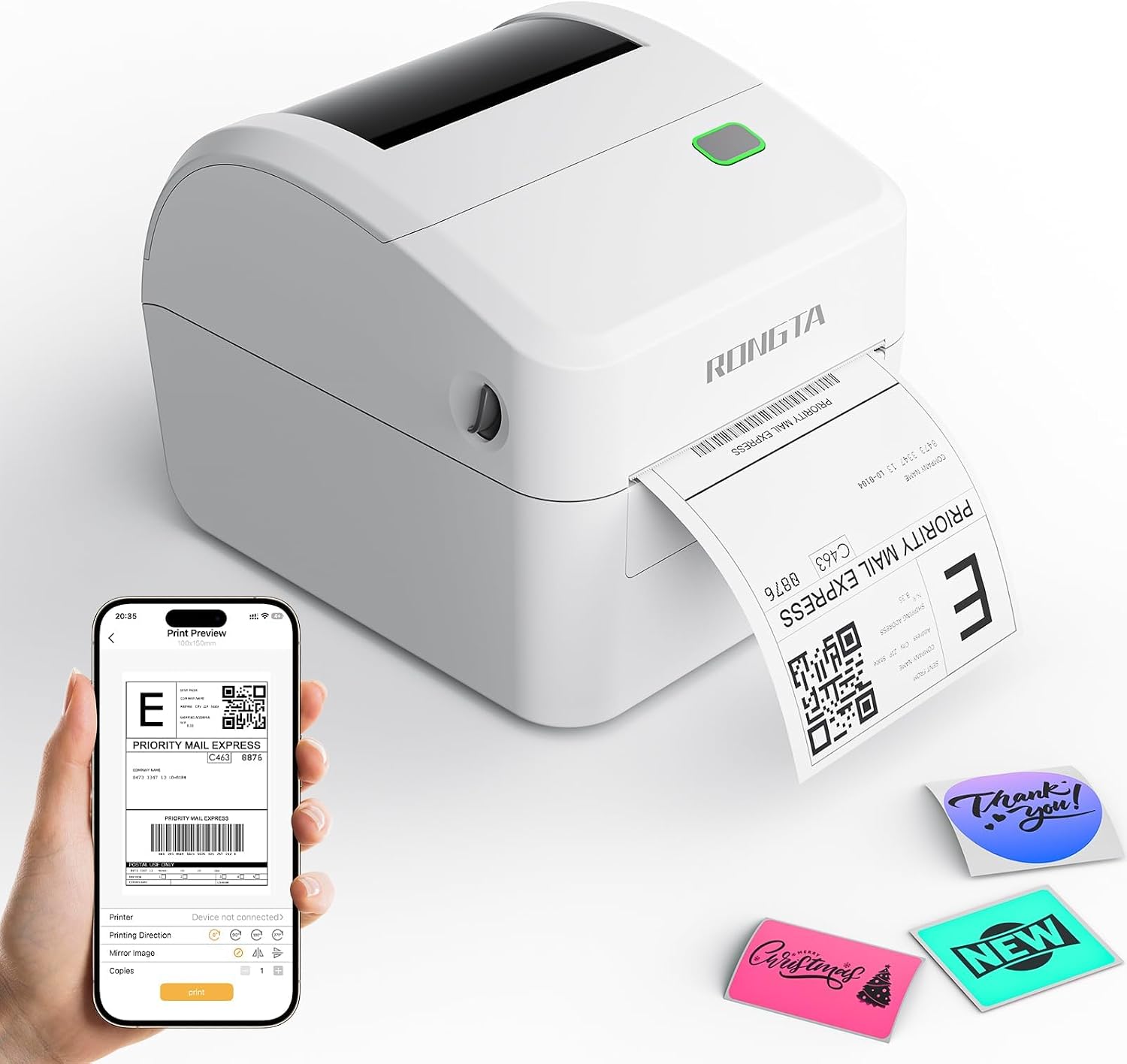
Four genuine images from the exact RP415-GW Amazon listing, inspected without altering the product or labels. Embedded claims and props are supplier illustrations, not our test results. Public-use image licensing remains unverified. Image-use disclosure.
Is this a hands-on review?
No. We have not measured performance, handling or durability. Product-specific evidence limits appear in the Research section.
Are these affiliate links?
Purchases through our retailer links may earn a commission. Disclosure and reader-rating privacy.
Image sources and context
- Exact listing product image; phone and sample labels are illustrative props. Image provenance: m.media-amazon.com
- Supplier media-width diagram; match the physical backing and printer setup. Image provenance: m.media-amazon.com
- Supplier connectivity graphic, not independent verification of every OS or wireless combination. Image provenance: m.media-amazon.com
- Supplier illustration of roll and fanfold supplies; shown accessories are not a verified box-content list. Image provenance: m.media-amazon.com