
Verdict
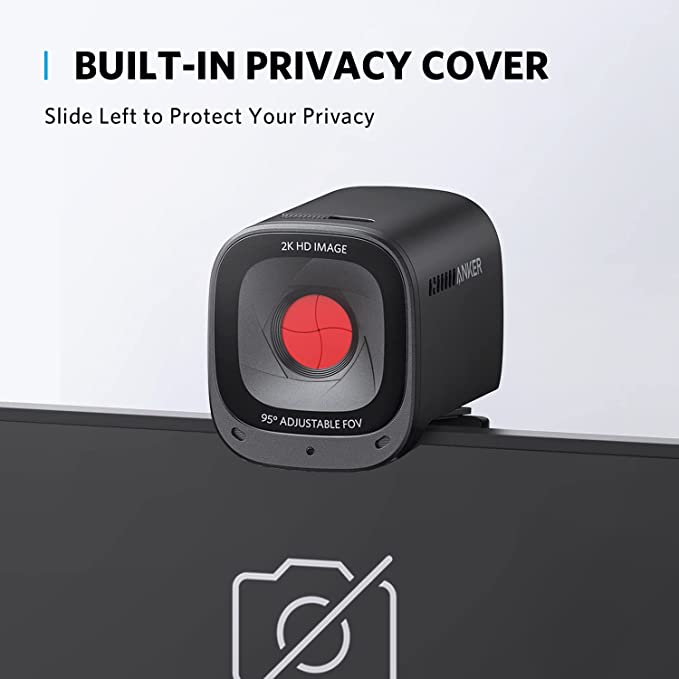
The AnkerWork PowerConf C200 is a sensible shortlist option for desk calls when you want adjustable framing and a built-in lens cover without a complex camera setup. The most important caveat is easy to miss: the privacy cover does not mute its microphones. Anyone expecting one switch to stop both video and audio needs to plan around that limitation.
This is a research-based review of model A3369, Amazon ASIN B09MFMTMPD. We reviewed official product information, the quick-start guide, manufacturer FAQs, and the selected Amazon offer. We have not performed image-quality, low-light, autofocus, microphone, or reliability tests, so marketing comparisons should not be read as our measurements.
Reasons to consider it
- Selectable framing
- Built-in camera cover
- Display clip and tripod option
Trade-offs
- Cover does not mute microphones
- 30 fps maximum
- No Windows Hello or automatic tracking
Sources: AnkerWork official product and specifications, Anker A3369 official quick-start guide, AnkerWork A3369 manufacturer FAQ, Amazon exact product listing: B09MFMTMPD.
Facts
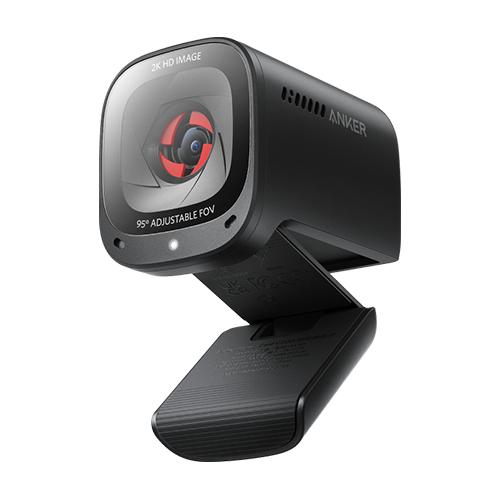
The C200 is a wired USB webcam, not a wireless camera or a speakerphone. Match A3369 when comparing similar PowerConf names. Its resolution specification describes the camera’s capability; the video your colleagues receive also depends on the application, network connection, and host settings.
| Reviewed model | AnkerWork PowerConf C200 / A3369 |
|---|---|
| Advertised video | Up to 2K / 1440p at 30 fps |
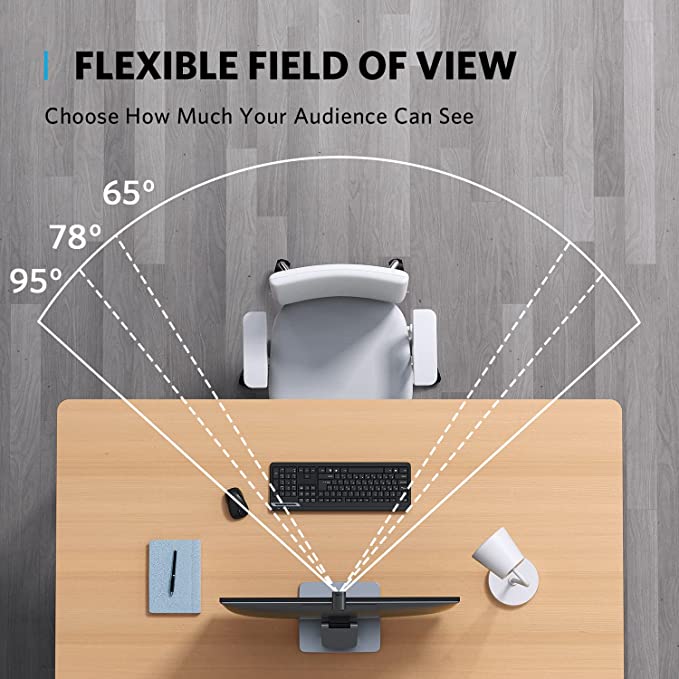
| Framing options | 65°, 78°, or 95°, selected through software |
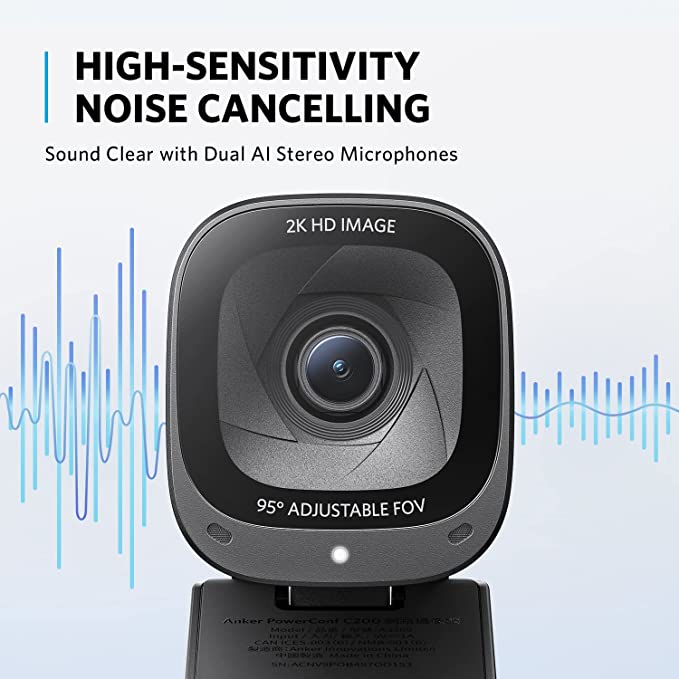
| Audio and cover | Two microphones; cover does not mute them |
Sources: AnkerWork official product and specifications, Anker A3369 official quick-start guide, AnkerWork A3369 manufacturer FAQ.
Features
The selectable 65°, 78°, and 95° fields of view are useful if your room is more distracting than your face. A narrower view can keep less background in shot, while a wider setting may work when two people share a desk. Preview the actual framing in your calling application before joining; choosing an angle is not the same as automatic subject tracking.
AnkerWork software provides image and framing controls, and the official quick-start guide directs users there for firmware updates. Basic setup still requires selecting the C200 as the camera in your meeting app. If you already use a headset, confirm that the app keeps that headset as the microphone rather than silently switching inputs.
The physical clip and tripod mounting option give you choices about placement. Think about your monitor’s thickness, desk height, and cable path before buying. A camera positioned awkwardly on an unstable display can be more frustrating than a lower-resolution camera already placed well.
Sources: AnkerWork official product and specifications, Anker A3369 official quick-start guide, AnkerWork A3369 manufacturer FAQ.
Research
Tom’s Guide included the C200 as a budget choice in its webcam guide updated August 28, 2026. That supports continuing editorial interest in this exact model, but does not establish current social-media virality or a guaranteed improvement over your particular laptop camera. Its published testing belongs to that outlet, not to this review.
The official FAQ is especially useful for exclusions: 30 fps rather than 60 fps, no Windows Hello, and no AI-Frame tracking. Some software examples in that older document are dated, so we have not repeated its historical Zoom or Teams resolution limits as current rules. Check your own application’s settings and supported modes.
Sources: Tom’s Guide webcam guide, updated August 28, 2026, AnkerWork A3369 manufacturer FAQ.
Safety
Closing the lens cover blocks the camera view while leaving the microphones usable. Mute audio in the application or disable microphone access separately when privacy matters. Unplugging the webcam is another way to remove that device from use, but it does not disable microphones elsewhere on the computer.
Install configuration software from AnkerWork’s official source and review camera and microphone permissions. On a managed work computer, ask whether installing it is allowed before assuming you can access every customization. Test a call privately after changing inputs, including whether the intended microphone really is selected.
Fit the mount securely, avoid blocking the webcam’s air vents, and route the USB lead so a snag cannot pull the camera or computer down. Keep liquids away. Disconnect before exterior cleaning, avoid spraying liquid into the lens or openings, and follow the supplied care instructions.
Sources: Anker A3369 official quick-start guide, AnkerWork A3369 manufacturer FAQ.
Buying
The supplied connection uses USB-C at the camera and USB-A at the computer. Anker’s FAQ says a USB-C-only host requires an adapter, which is not included. Account for an appropriate connection rather than assuming that a USB-C camera socket means the box contains a USB-C-to-USB-C lead.
The exact Amazon page checked on October 12, 2026 showed Add to cart and Buy Now controls, quantity selection, Amazon fulfillment, and AnkerDirect as seller. Final price, shipping eligibility, and delivery date still need checking in your selected offer. Do not buy for Windows Hello or high-frame-rate recording; neither is part of the verified feature set.
Sources: Amazon exact product listing: B09MFMTMPD, AnkerWork A3369 manufacturer FAQ.
Related buying research
For a laptop video-call setup, inspect stand height and the separate keyboard arrangement.
Questions
Does it track me around the room?
No. The official FAQ says the C200 does not support AI-Frame. Its adjustable field of view is a manual framing feature.
Can it sign me in with Windows Hello?
No. The manufacturer’s C200 FAQ explicitly excludes Windows Hello support.
Will every call transmit at 2K?
No. Camera capability alone does not determine transmitted resolution. Check the conferencing app, account settings, bandwidth, and the recipient’s viewing conditions.
Is a tripod included?
No. The guide describes a separate quarter-inch-thread tripod mounting option. The camera’s own clip can be used on a suitable display.
Sources: AnkerWork official product and specifications, Anker A3369 official quick-start guide, AnkerWork A3369 manufacturer FAQ.
Sources and limitations
We checked the exact product identity against the primary sources below. Dated source checks and limitations are described in the review. Published specifications and seller imagery are not independent performance tests.
Sources: AnkerWork official product and specifications, Amazon exact product listing: B09MFMTMPD, Anker A3369 official quick-start guide, AnkerWork A3369 manufacturer FAQ, Tom’s Guide webcam guide, updated August 28, 2026.
Four genuine source images show the reviewed product and supplier demonstrations. Embedded claims are source marketing rather than our measured results; props are not included unless expressly listed. Public-use image licensing remains unverified. Image-use disclosure.
Is this a hands-on review?
No. We have not measured performance, handling or durability. Product-specific evidence limits appear in the Research section.
Are these affiliate links?
Purchases through our retailer links may earn a commission. Disclosure and reader-rating privacy.
Image sources and context
- The A3369 C200 webcam. Genuine AnkerWork product image. Image provenance: ca.ankerwork.com
- The cover blocks the lens. It does not mute the microphones. Image provenance: ca.ankerwork.com
- Manufacturer framing illustration; select the desired view in supported software. Image provenance: ca.ankerwork.com
- Anker markets dual-microphone noise cancellation. The graphic is not an independent audio test. Image provenance: ca.ankerwork.com